
Appearance
Additional Settings
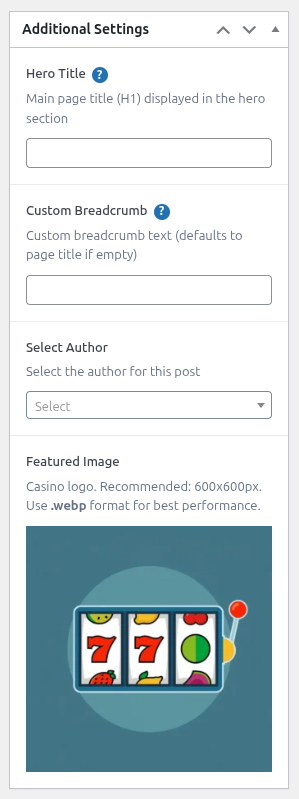
Additional Settings is a sidebar panel available when editing any resource. The fields available depend on the post type.
Field Availability
| Field | Page | Casino | News | Author | Payment | Slot | Software Provider |
|---|---|---|---|---|---|---|---|
| Hero Title | ✓ | ✓ | ✓ | ||||
| Select Author | ✓ | ✓ | ✓ | ✓ | ✓ | ✓ | |
| Custom Breadcrumb | ✓ | ✓ | ✓ | ✓ | ✓ | ✓ | |
| Featured Image | ✓ | ✓ | ✓ | ✓ | ✓ | ✓ | ✓ |
| Excerpt | ✓ | ✓ | ✓ | ||||
| Category | ✓ | ||||||
| Author Opinion | ✓ | ||||||
| Default Bonus | ✓ | ||||||
| Show Verified Badge | ✓ | ||||||
| Is Cryptocurrency | ✓ | ||||||
| Established At | ✓ | ||||||
| Table of Contents | ✓ | ✓ | ✓ | ✓ | ✓ | ✓ | ✓ |
Field Descriptions
Hero Title
Overrides the post title displayed as the H1 heading in the hero section. If empty, the post title is used.
Select Author
Links this content to an Author post type entry. The author attribution is displayed on the page and enables the Author Opinion field on Casino posts.
Custom Breadcrumb
Overrides the breadcrumb label for this specific post. If empty, the post title is used.
Featured Image
Primary image for this post. Used in the hero section and when the post appears in grid or toplist blocks.
Recommended size: 600×600px - Format: .webp for best performance
The label varies by post type:
- Casino / Slot: Casino / Slot logo
- Payment Method: Payment logo
- Author: Profile photo (300×300px recommended)
- Page / News / Software Provider: General featured image
Excerpt
Short summary of the post. Displayed in grid blocks and search results.
Category
Assigns one or more news categories to a news post (taxonomy field).
Author Opinion
Expert review text written from the selected author's perspective. Only visible when Select Author has a value. Available on Casino posts only.
Default Bonus
Overrides the bonus type displayed in this casino's template. If empty, falls back to the default bonus type set in Theme Settings → General Settings.
Show Verified Badge
Displays a verified badge next to the author's name in the author hero section.
Is Cryptocurrency
Marks this payment method as a cryptocurrency. Used by toplist blocks to enable crypto-specific filtering.
Established At
The founding date of the software provider. Displayed in the provider's profile.
Table of Contents
Overrides the global Table of Contents setting (Theme Settings → Layout Settings → Table of Contents) for this post only:
- Default - Follow the global setting.
- Enabled - Show the TOC on this post even if it's globally disabled.
- Disabled - Hide the TOC on this post even if it's globally enabled.
Simple Metas
The Simple Metas section lets you set a custom meta title and description for SEO without a dedicated SEO plugin. Available on all post types.
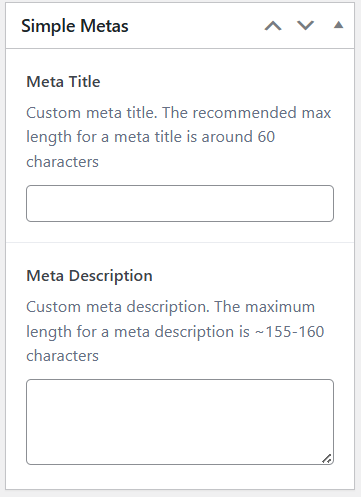
Meta Title
Overrides the page title shown in search engine results and browser tabs. Keep between 50–60 characters. Defaults to the post title if empty.
Meta Description
Custom description shown in search results below the title. Keep between 150–160 characters.
TIP
If you are using an SEO plugin (Yoast, Rank Math, etc.) its meta fields take precedence over these.