
Appearance
Color Settings
Overview
The Color Settings section provides full control over your theme's color scheme. Customize every color used throughout your site to match your brand identity perfectly.
Access: Theme Settings → Color Settings Tab
How It Works
The Color Settings panel offers an intuitive color picker interface for customizing all theme colors. No CSS knowledge required - simply point, click, and choose your colors.
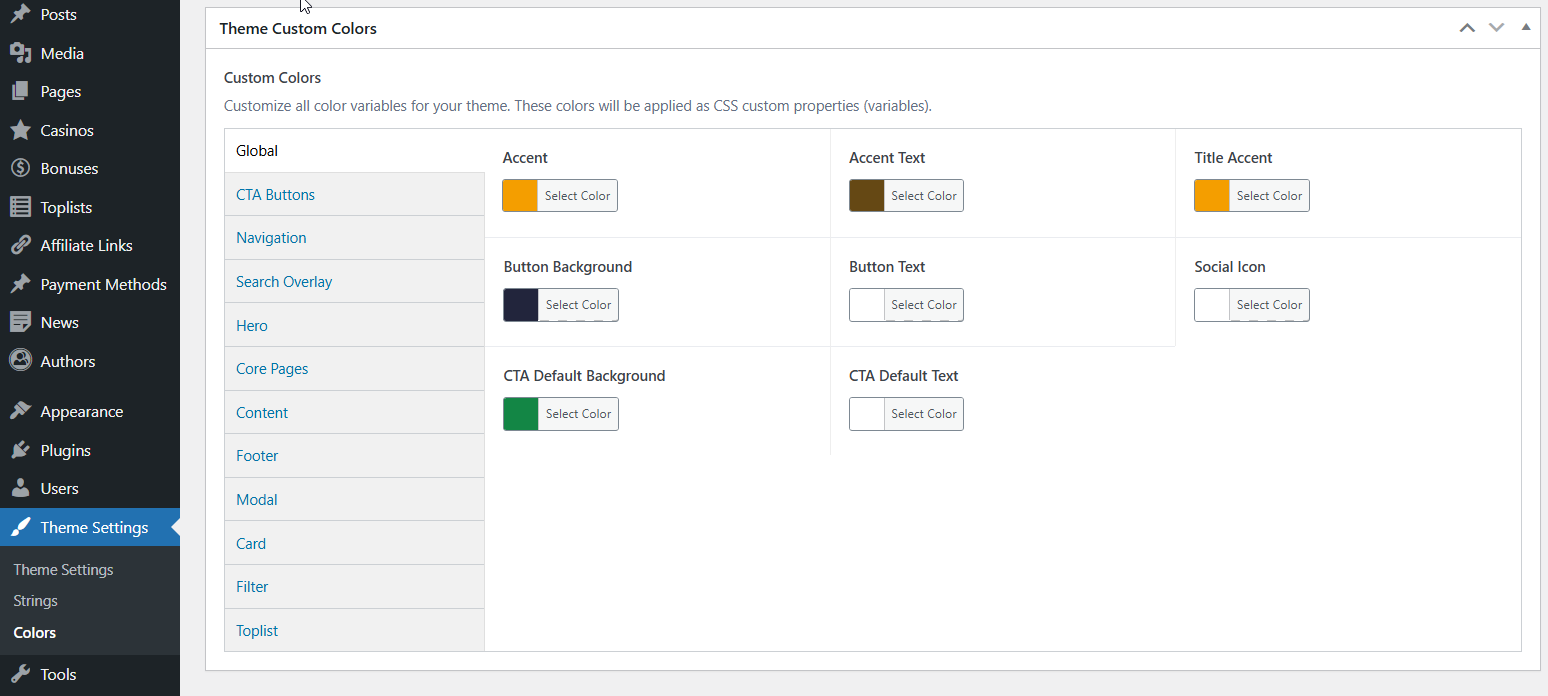
What You Can Customize
The theme provides color controls for:
- Primary colors - Main brand colors, buttons, links
- Background colors - Page backgrounds, content areas, cards
- Text colors - Headings, paragraphs, labels
- Border colors - Dividers, outlines, separators
- Accent colors - Highlights, badges, notifications
- Interactive elements - Hover states, active states, focus states
- Component-specific colors - Navigation, footer, sidebars, and more