
Appearance
Block Types
This guide covers all available block types in the Bankroll Casino theme. Each block serves a specific purpose and helps you create professional, engaging content.
Creating Blocks
Adding blocks to your posts is simple and straightforward:
- Open the post you want to edit (Page, Post, Casino, News, Payment Method, or Author)
- Scroll down to find the Blocks section
- Click the New Block button
- Select the block type you need from the dropdown menu
- Fill in the block content and settings
- Publish or update your post
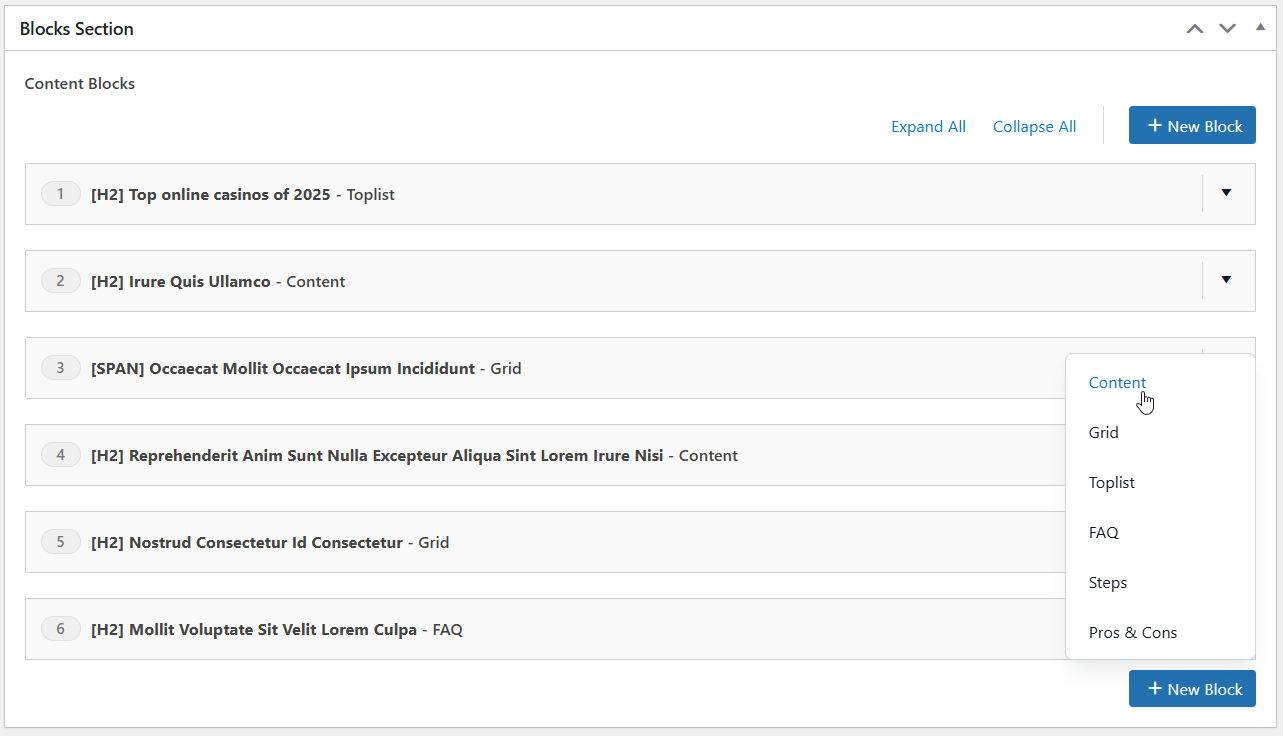
Each block type has specific fields and options designed for its purpose. You can add as many blocks as you need and reorder them by dragging.
Blocks Section
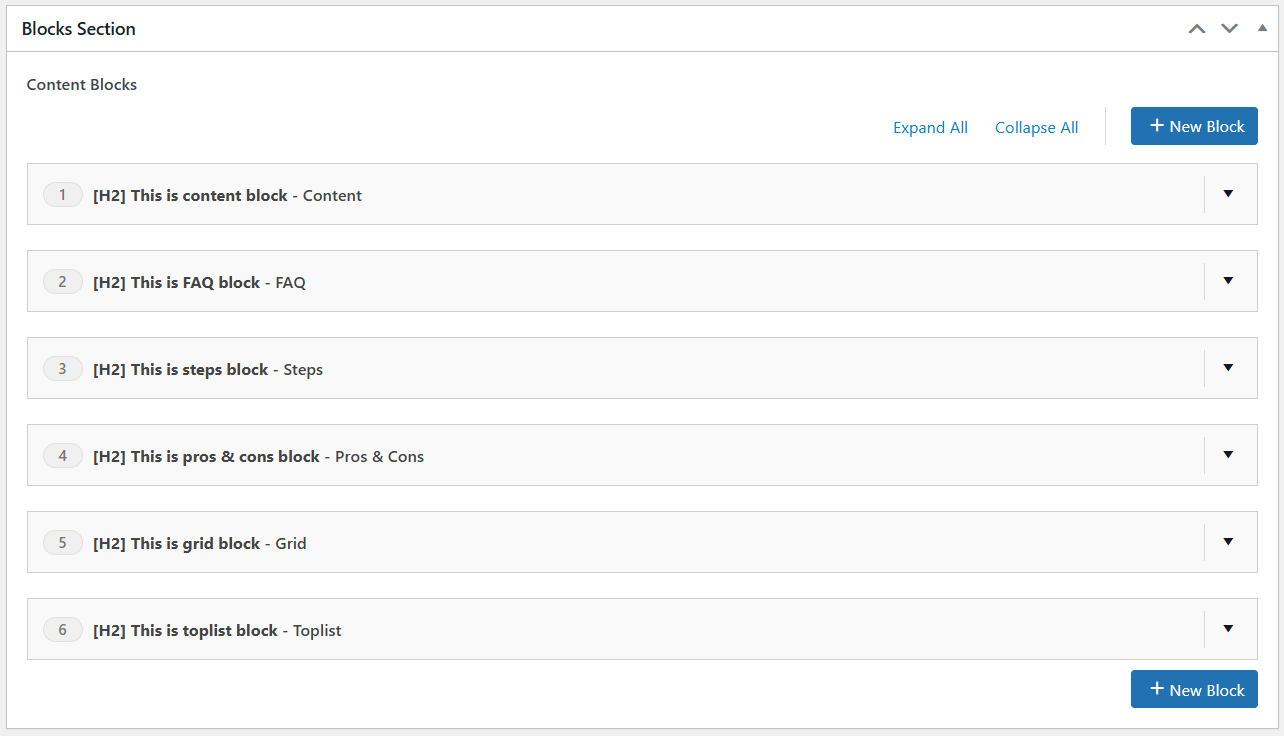
The blocks section provides an intuitive, organized interface for managing all your page content. Each block is displayed with its type badge and heading title, making it easy to get a quick overview of your page structure at a glance. You can effortlessly reorder blocks by dragging them into your desired sequence, and quickly locate specific blocks by scanning their type labels and heading titles. This streamlined approach keeps your content management efficient and organized, even on pages with multiple blocks.
Content Block
The Content Block is the most basic and versatile block in the theme. It provides a WYSIWYG editor that allows you to create rich text content with full formatting capabilities.
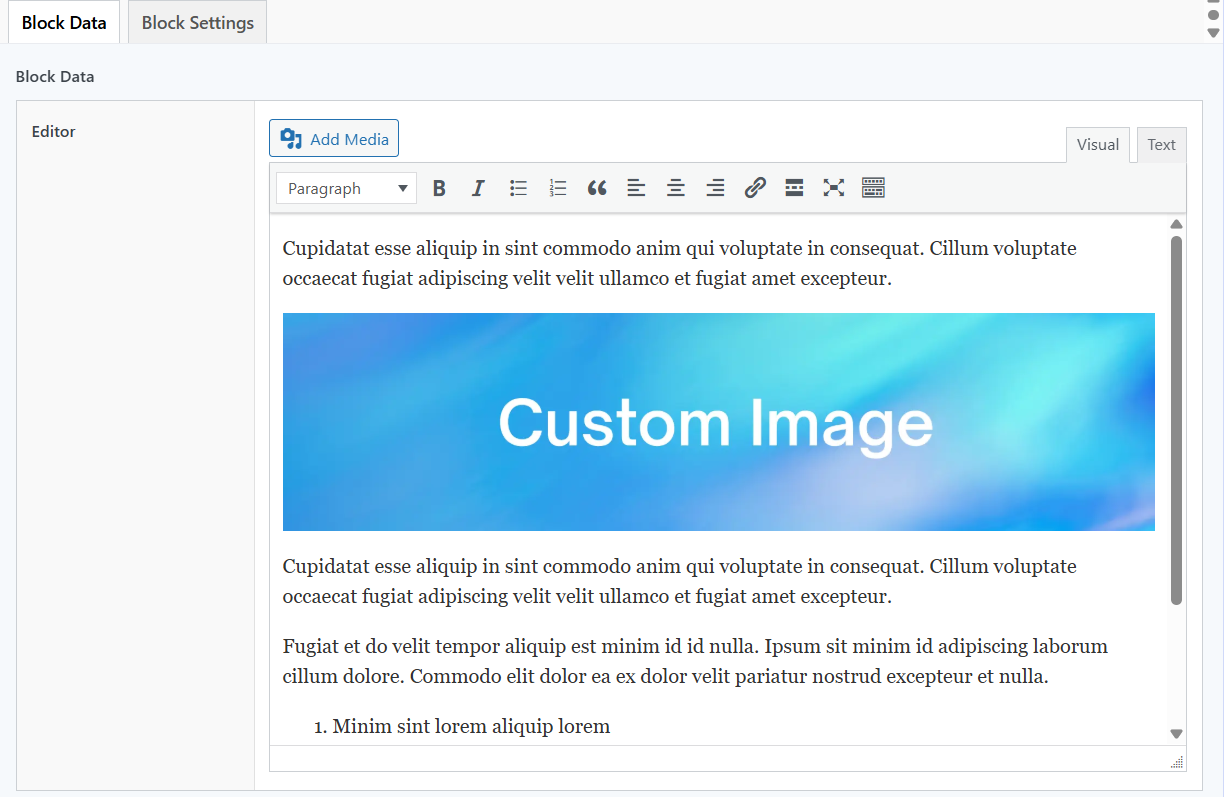 and this is the rendered output in the page: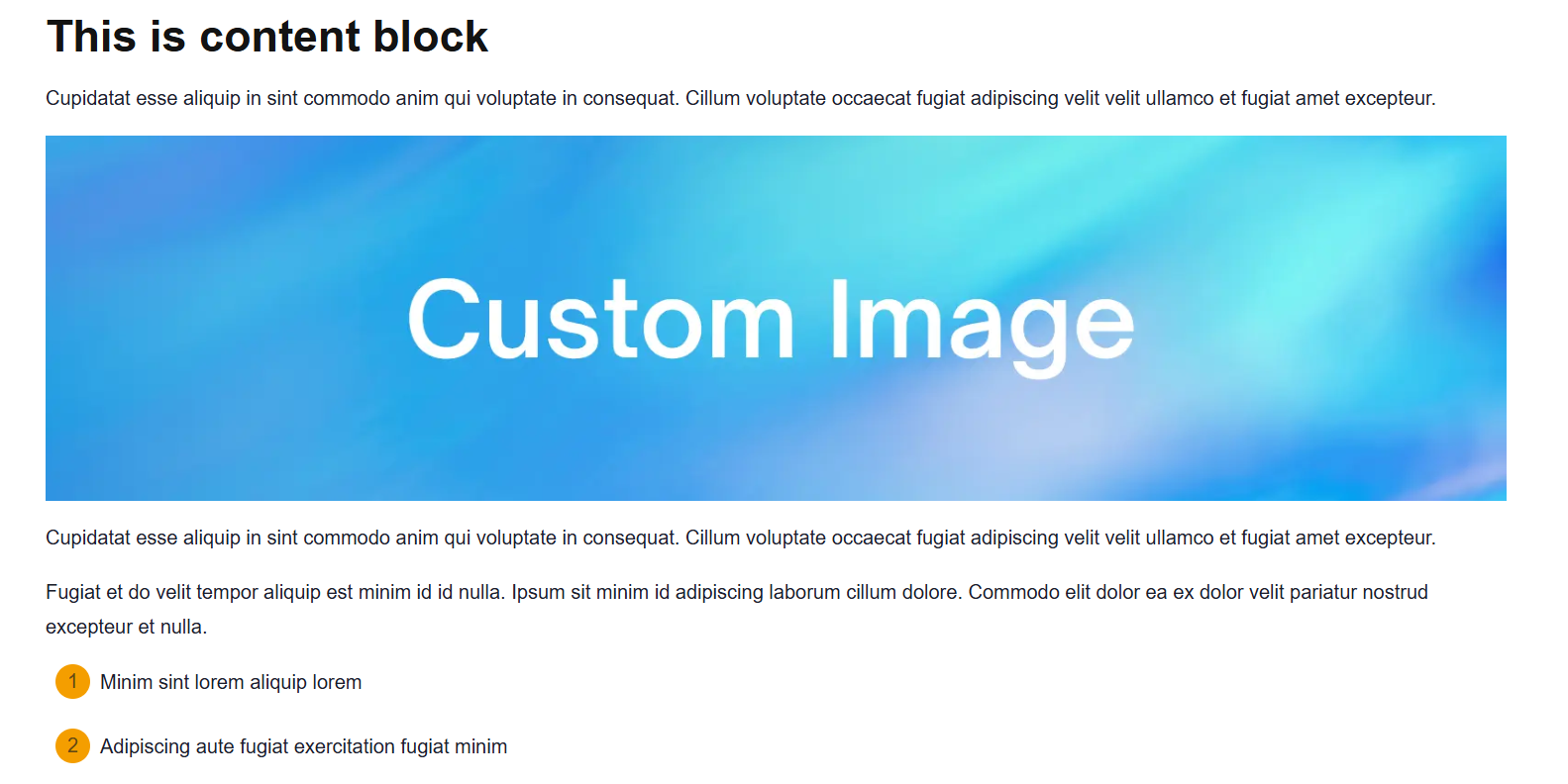
FAQ Block
The FAQ Block creates expandable question-and-answer sections, perfect for addressing common visitor questions. Questions are collapsed by default and expand when clicked, creating a clean, space-efficient layout.
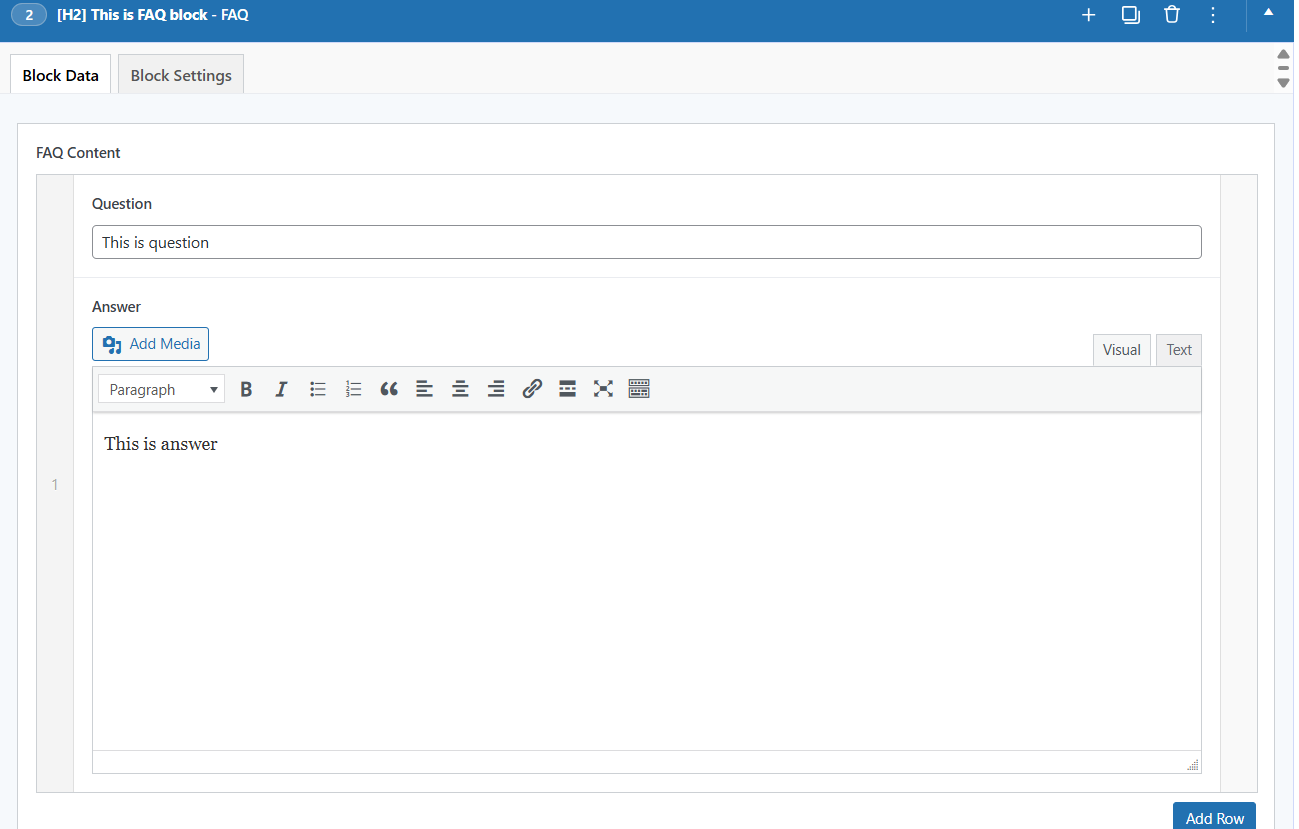 and this is the rendered output in the page:
Steps Block
The Steps Block creates numbered step-by-step guides, perfect for tutorials, how-to content, and process explanations. It presents information in a clear, sequential format that guides users through procedures.
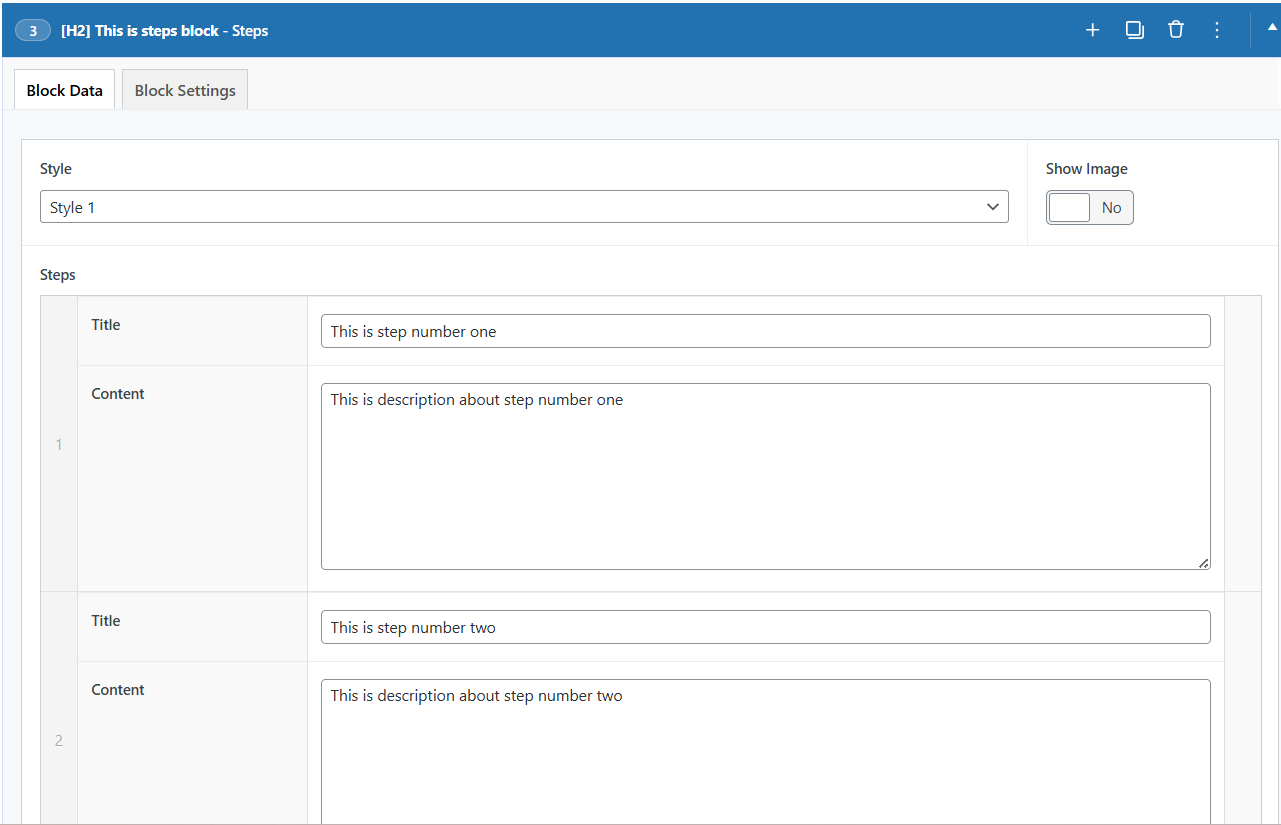 and this is the rendered output in the page: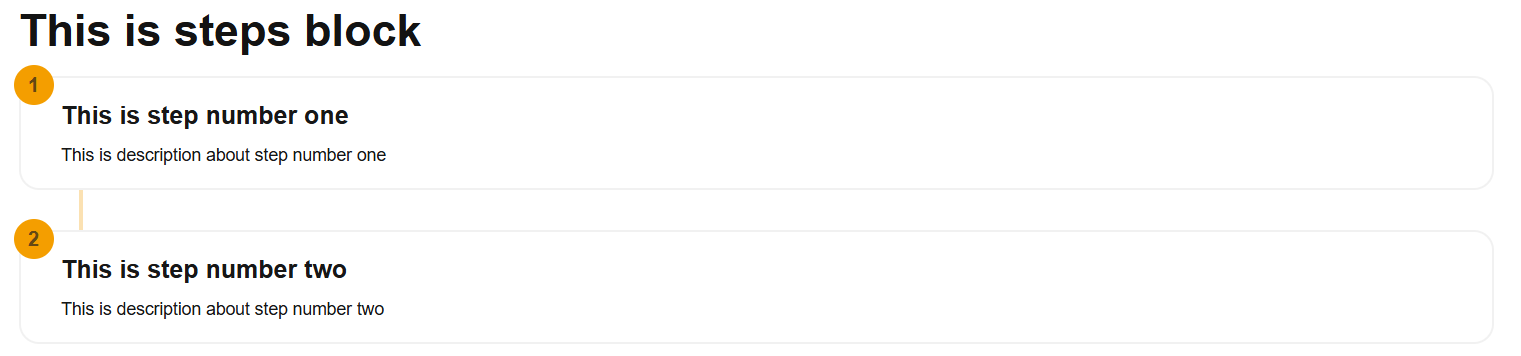
Pros and Cons Block
The Pros & Cons Block creates a side-by-side comparison of positive and negative aspects, perfect for balanced casino reviews and product comparisons. It presents information in a clear, scannable format that helps visitors make informed decisions.
Styles:
- Style 1 - Simple two-column list with check and cross icons.
- Style 2 - Richer cards with thumbs up/down icons, item counts, and an optional supporting note under each point.
Pull from casino: When the block is placed on a casino post, enable the Pull from casino toggle to auto-fill both lists from the casino's own Pros & Cons (Details tab), including each point's optional note. The manual rows are hidden while the toggle is on, so the lists stay maintained in one place.
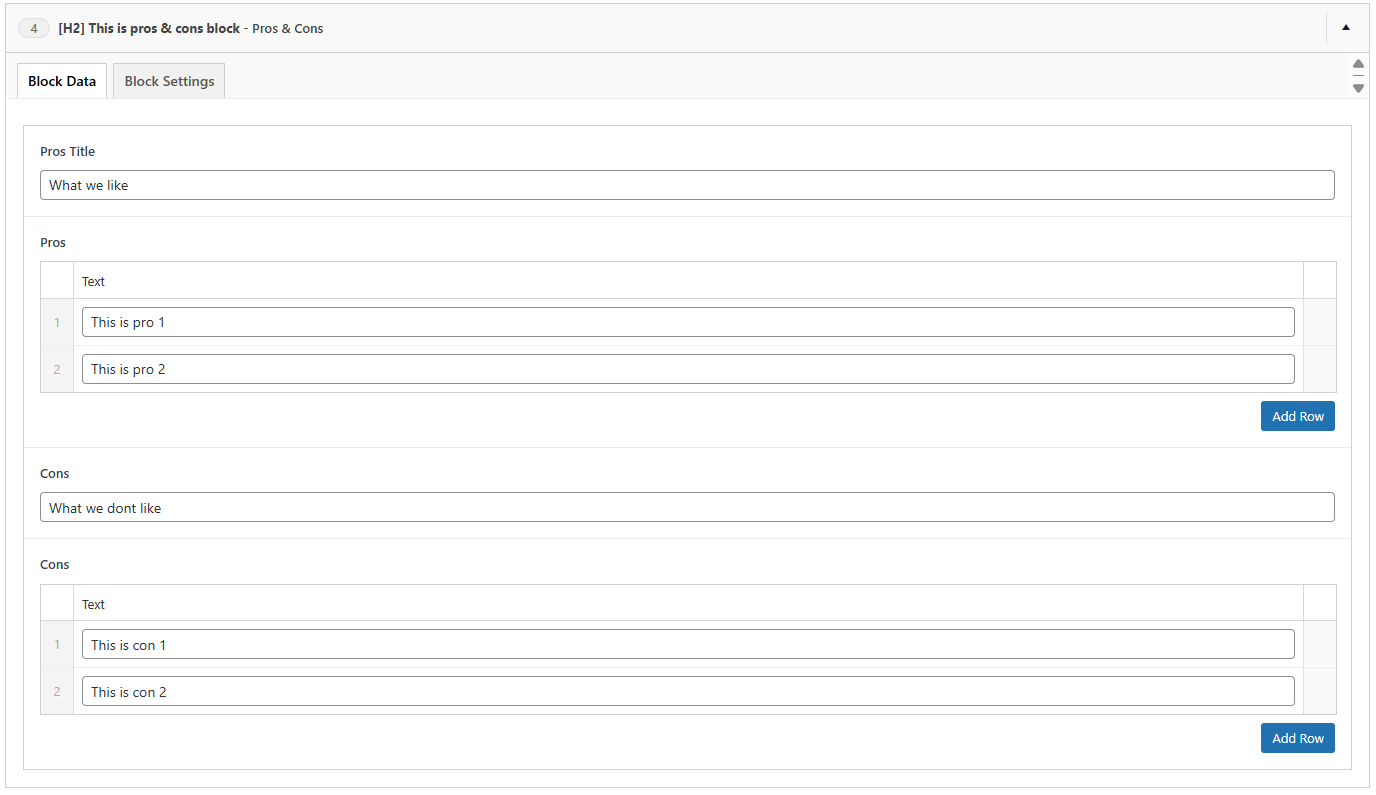 and this is the rendered output in the page:
Toplist Block
The Toplist Block is a display-only block that outputs a pre-configured toplist from your Toplist custom post type. All the heavy lifting-including casino selection, ranking order, filtering rules, and display settings-is configured within the Toplist edit page itself. This block simply selects which toplist to display and renders it on your page.
This approach provides maximum flexibility: you can create multiple toplists with different configurations (e.g., "Best Welcome Bonuses," "Top Live Dealer Casinos," "Fastest Payout Sites") and reuse them across different pages by simply selecting the appropriate toplist in the block settings.
Key Features:
- Select any published toplist to display
- Inherits all configuration from the toplist (manual casino selection or automatic filtering)
- Shows casinos in the exact order defined in the toplist
- Automatic load more functionality
- No additional configuration needed in the block itself
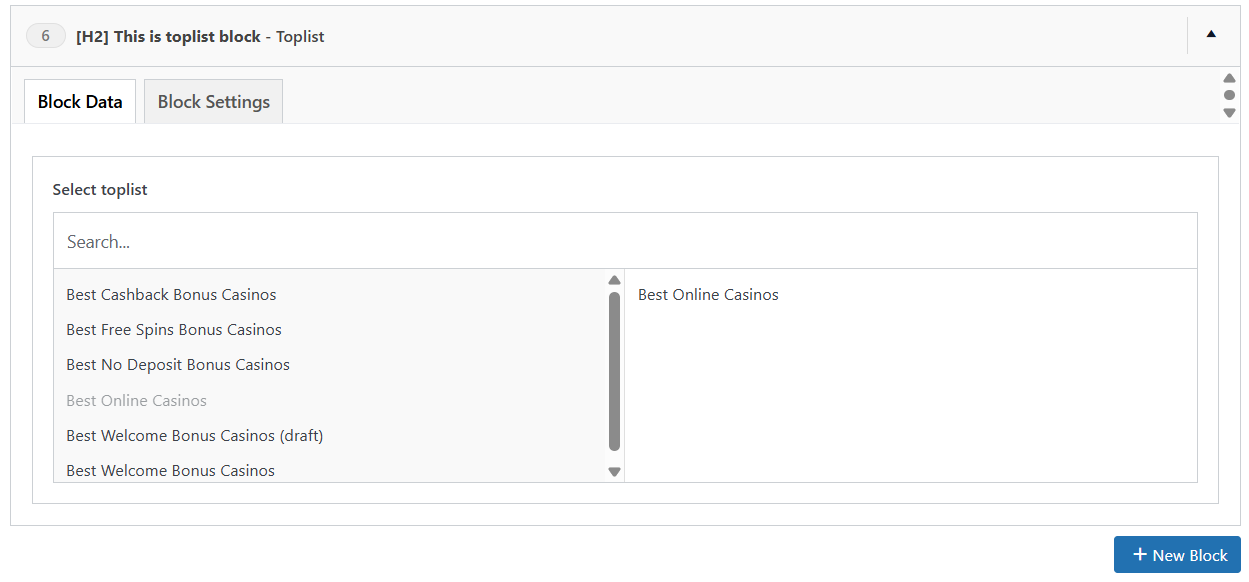 and this is the rendered output in the page: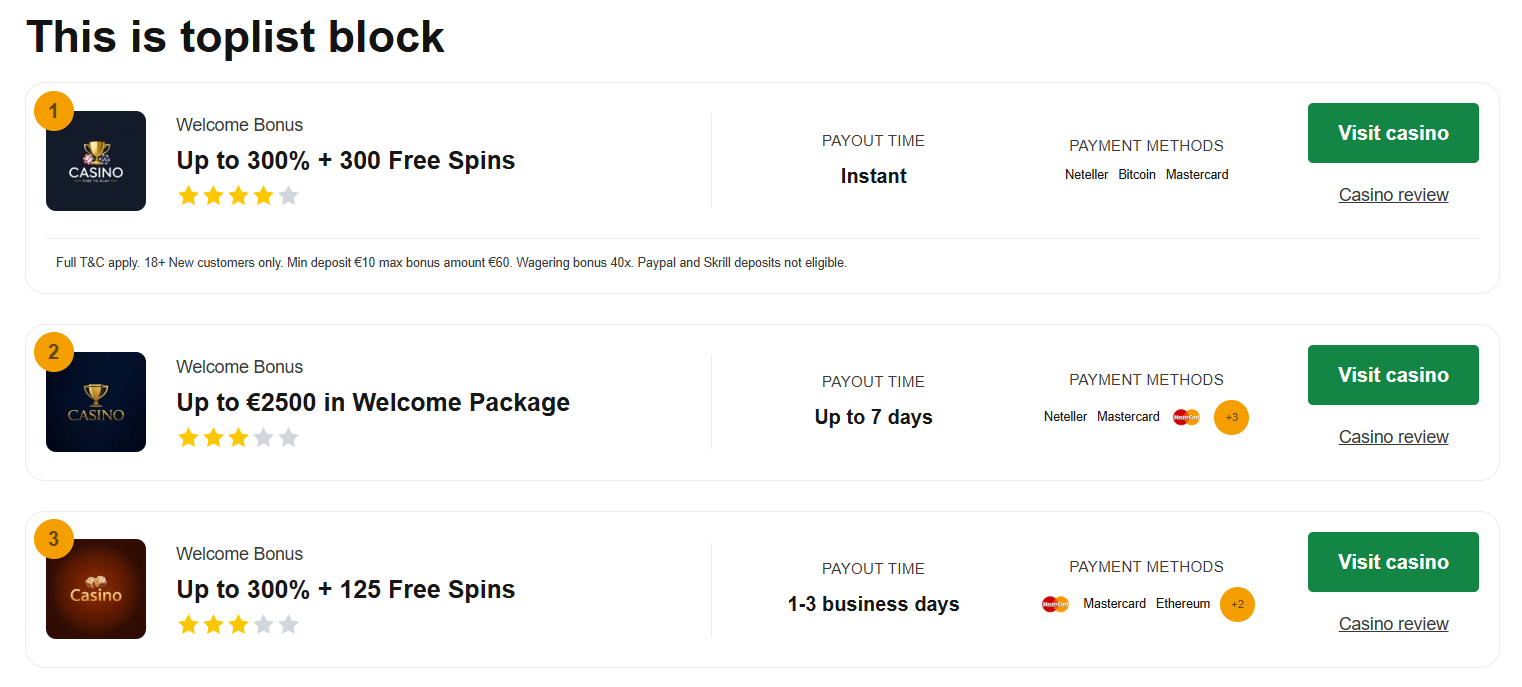
Grid Block
The Grid Block is the most versatile and powerful block in the theme. It displays content in a responsive grid layout and supports multiple post types: Casinos,Slots, Pages, Software Providers, Bonuses, News, Payment Methods, and Custom Cards.
Key Features:
- Display grids of casinos, slots, software providers, bonuses, news, payment methods or custom cards
- Manual selection or automatic filtering
- Multiple display styles per post type
- Load more functionality
- Advanced filtering options for casino, bonus, slot, news, and software provider grids
- Software Provider grids can filter by Casino to show exactly the providers attached to a chosen casino
- Bonus grids can filter by Casino to show only the bonuses attached to a chosen casino
- Custom card creation for flexible content
Grid block manual settings 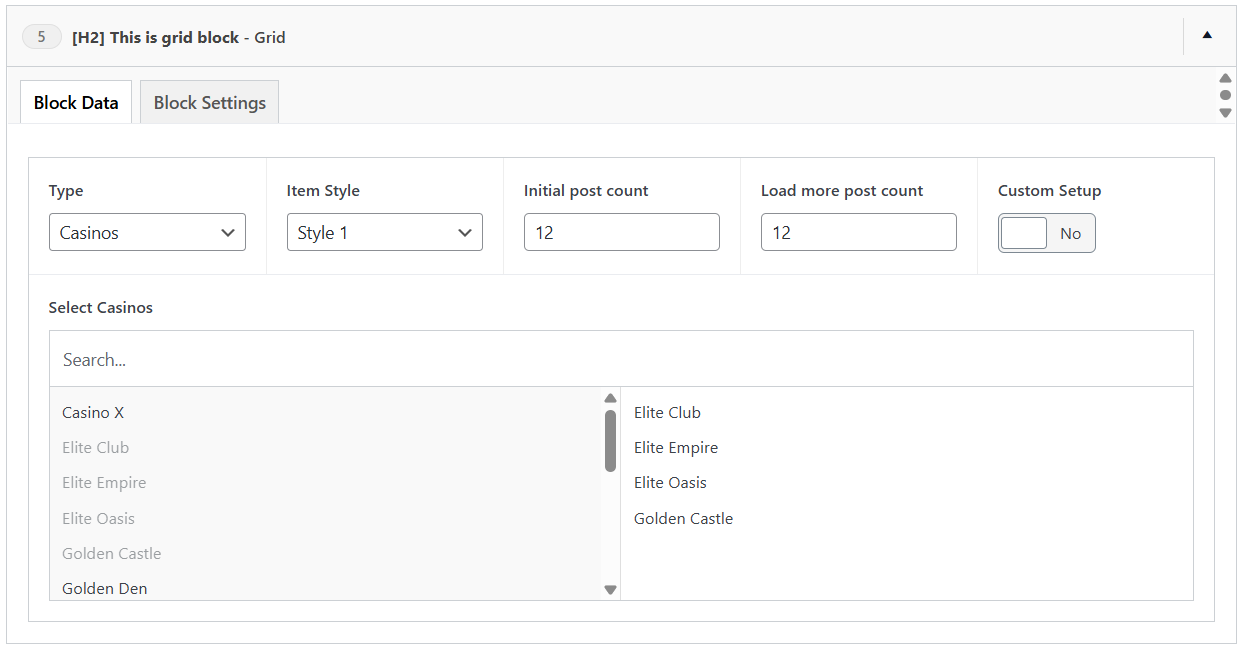 and this is the rendered output in the page: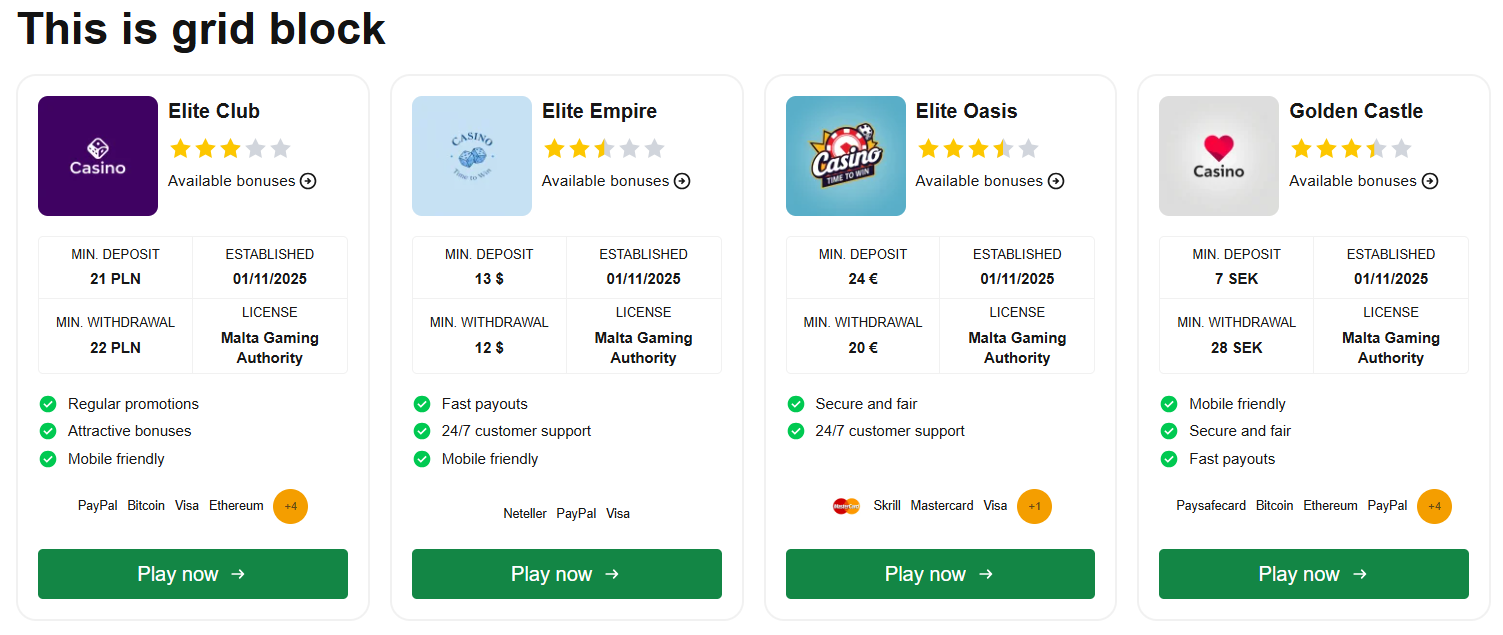
Grid block custom settings 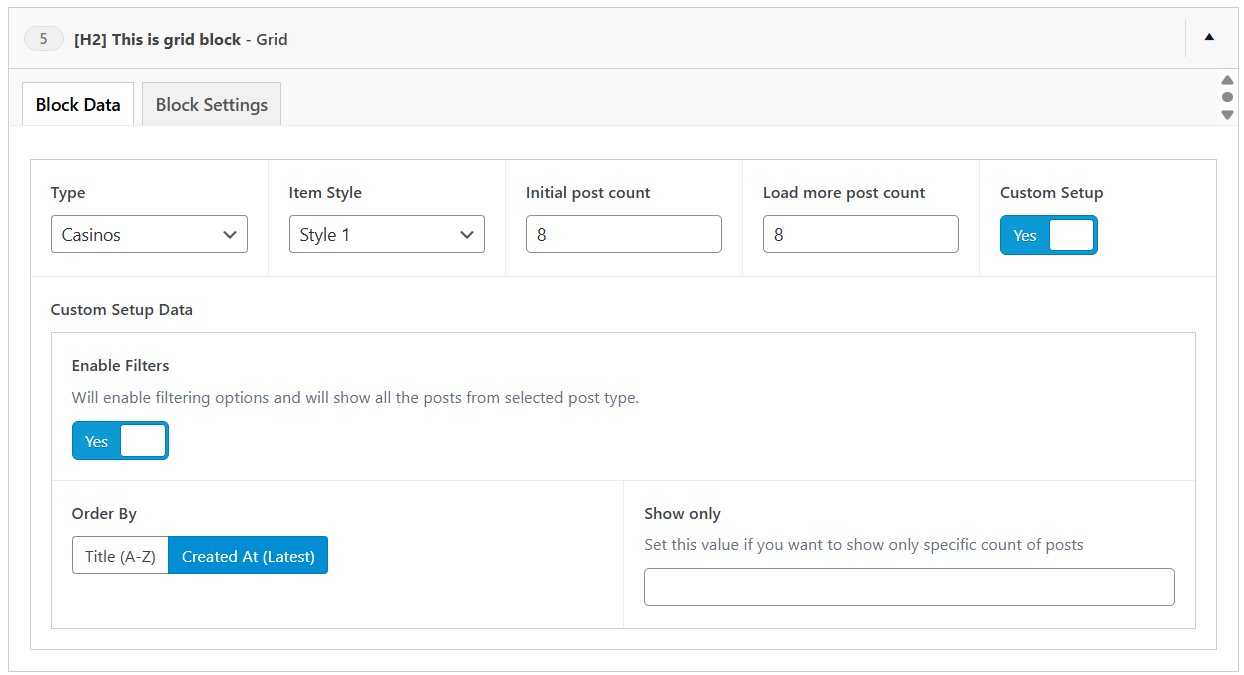 and this is the rendered output in the page: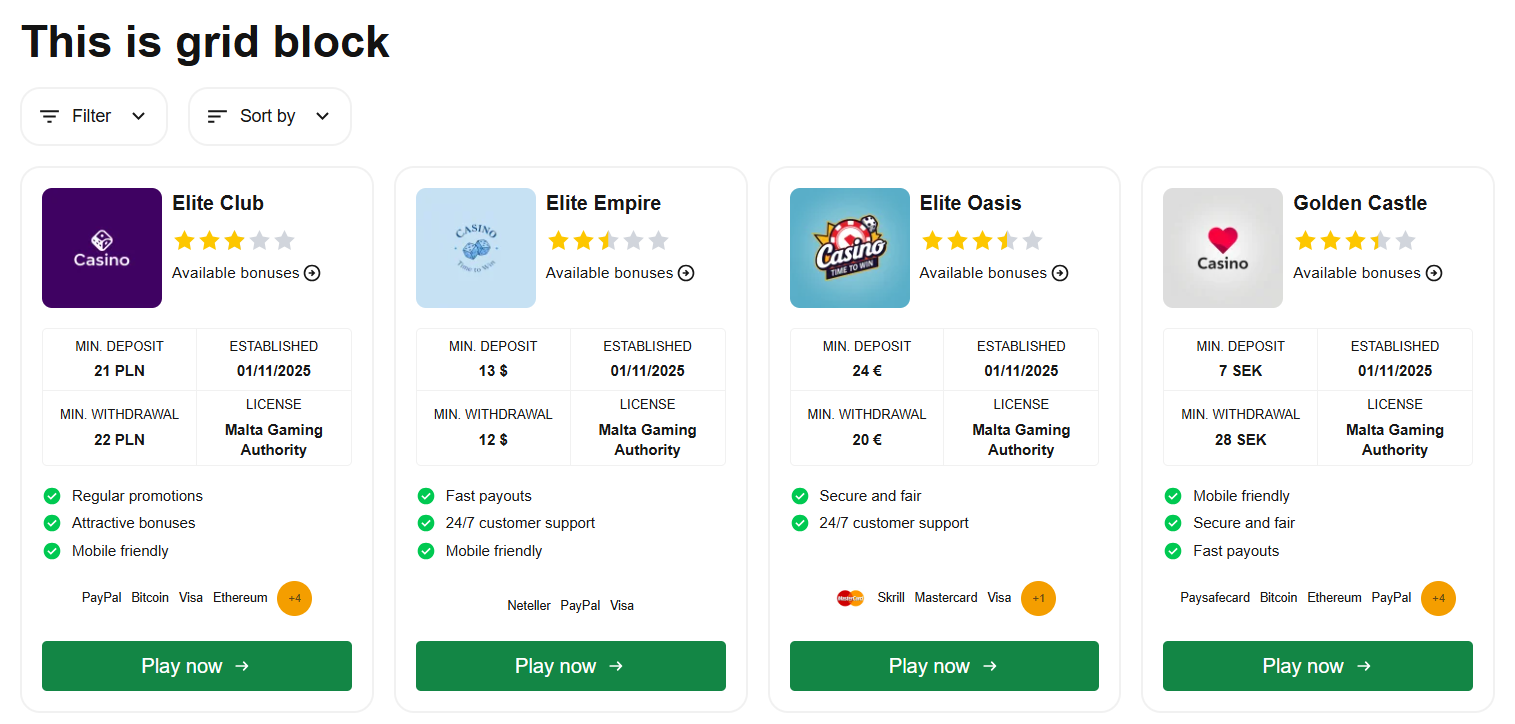
Casino Grid Order Options
When using the custom setup mode for a Casino grid, the following sort options are available:
| Option | Description |
|---|---|
| Title (A-Z) | Alphabetical order by casino name |
| Created At (Latest) | Newest casino posts first |
| Established At (Latest) | Most recently established casinos first |
| Global Rating (Highest) | Casinos sorted by their calculated global rating, highest first |
| Global Order | Casinos sorted by the manually assigned global order number |
Casino Review Blocks
Four blocks are available exclusively on Casino posts. They pull their data directly from the casino being edited, so they only need to be placed - no duplicate data entry.
Ratings Block
Displays the casino's overall rating as a ring with a star rating and an optional editor verdict text, followed by per-category rating cards (Trust & Fairness, Bonus Offers, Game Selection, Payment Options) with progress bars and notes. Custom rating categories can be added under Casinos → Casino Ratings and rated per casino.
Payments Block
Summarizes the casino's payment profile: stat cards for minimum deposit, minimum withdrawal, withdrawal time, and instant payments, followed by all payment methods (linked when published), cryptocurrencies, withdrawal limits, and accepted currencies.
Countries Block
Lists the casino's allowed and restricted countries with flags, plus an instant search where visitors can type their country to check eligibility. If the searched country is restricted, the block suggests top-rated casinos that accept it. All label texts are editable in the block.
Verdict Block
Presents the casino's Author Opinion as an editorial pull-quote with the author's photo, name, verified badge, and review date. The small label above the quote (default "Our verdict") is editable.
Add Casino Blocks
On casino posts, an Add casino blocks button appears next to + New Block. It opens a modal listing all casino blocks - Verdict, Ratings, Pros & Cons, Payments, Countries, and a Software Providers Grid - pre-checked and reorderable, with an optional title per block. Confirming appends them after any existing blocks, pre-configured: the Pros & Cons block arrives with Style 2 and Pull from casino enabled, and the grid is set up to show the current casino's software providers ordered by established date.
Block Settings
Every block in the Bankroll Casino theme includes a standardized set of wrapper settings that surround and enhance the block's core content. These settings provide a consistent framework for adding titles, subtitles, disclosure notices, and additional content before or after any block. By offering these common settings across all blocks, you maintain consistency in your site's structure while having the flexibility to customize each block's presentation independently.
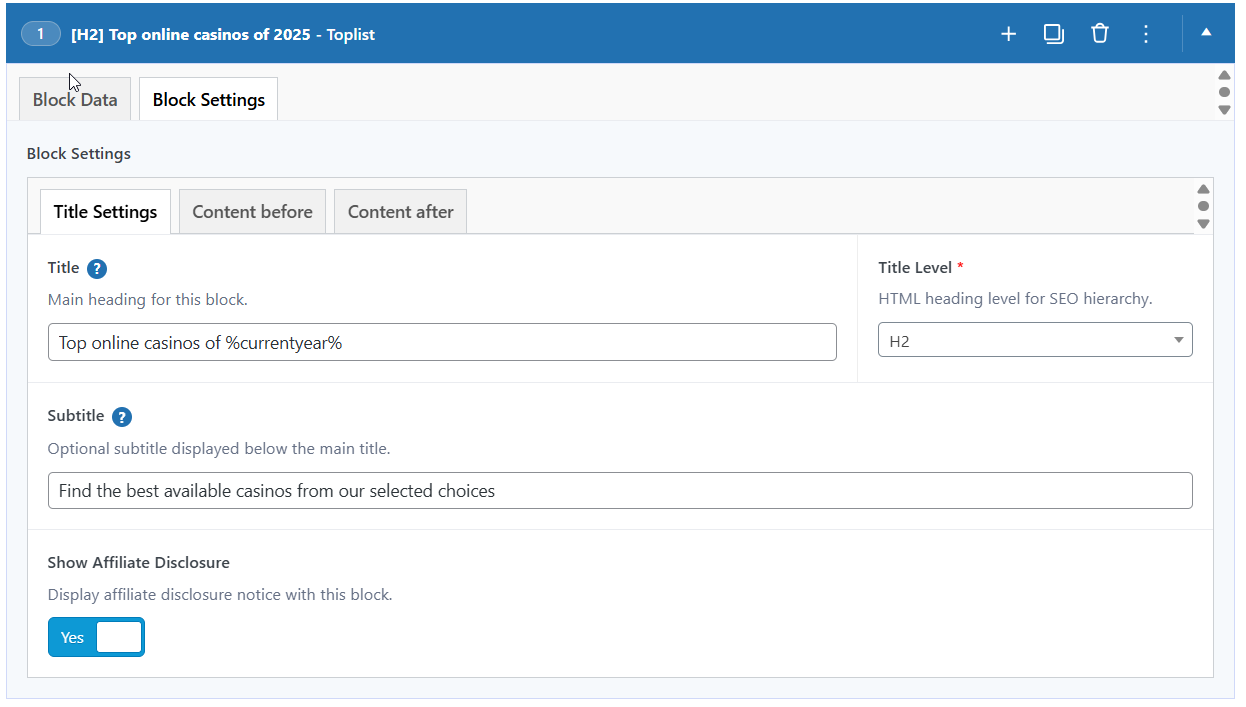 will render title with h2 heading level, subtitle, affilate disclosure, and content before block template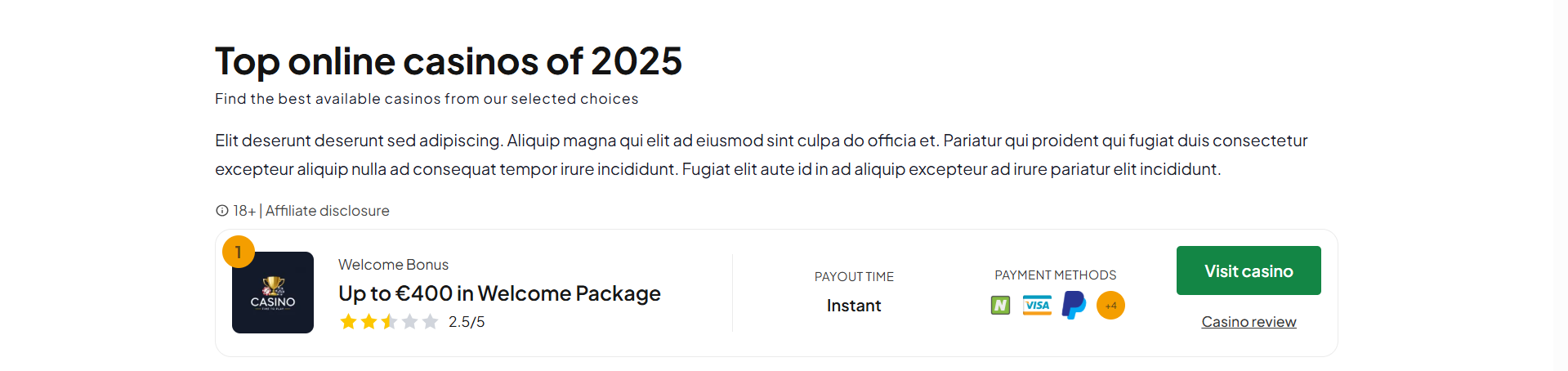
Title Settings
Title
Main heading displayed at the top of the block.
Title Level
HTML heading level for SEO hierarchy. Choose H2-H6 for semantic structure, or Span for non-heading text.
Subtitle
Optional subtitle displayed below the main title for additional context.
Affiliate Disclosure
Show Affiliate Disclosure
Display affiliate disclosure notice with this block. Available on blocks that display casino content (toplists, grids).
Content Before
Custom content displayed before the block's main content. Full WYSIWYG editor with media upload support.
Content After
Custom content displayed after the block's main content. Full WYSIWYG editor with media upload support.
Notes
- Title Settings are available on all blocks
- Affiliate Disclosure is only available on blocks with casino or bonus content
- Content Before/After fields may be excluded on certain blocks where they don't apply