
Appearance
Getting Started with Bankroll Casino Theme
Overview
Bankroll Casino is a premium WordPress theme designed specifically for casino and gambling affiliate marketing websites. This guide will help you configure and start using the theme after installation.
Prerequisites: This guide assumes you have already installed the theme. If you haven't, please refer to the Installation Guide first.
Initial Setup
Step 1: Configure Permalink Settings
The theme requires pretty permalinks for proper functionality of casino pages, affiliate links, and other features.
- Navigate to Settings → Permalinks
- Select Post name (recommended)
- Do not use the "Plain" permalink structure
- Click Save Changes to flush rewrite rules
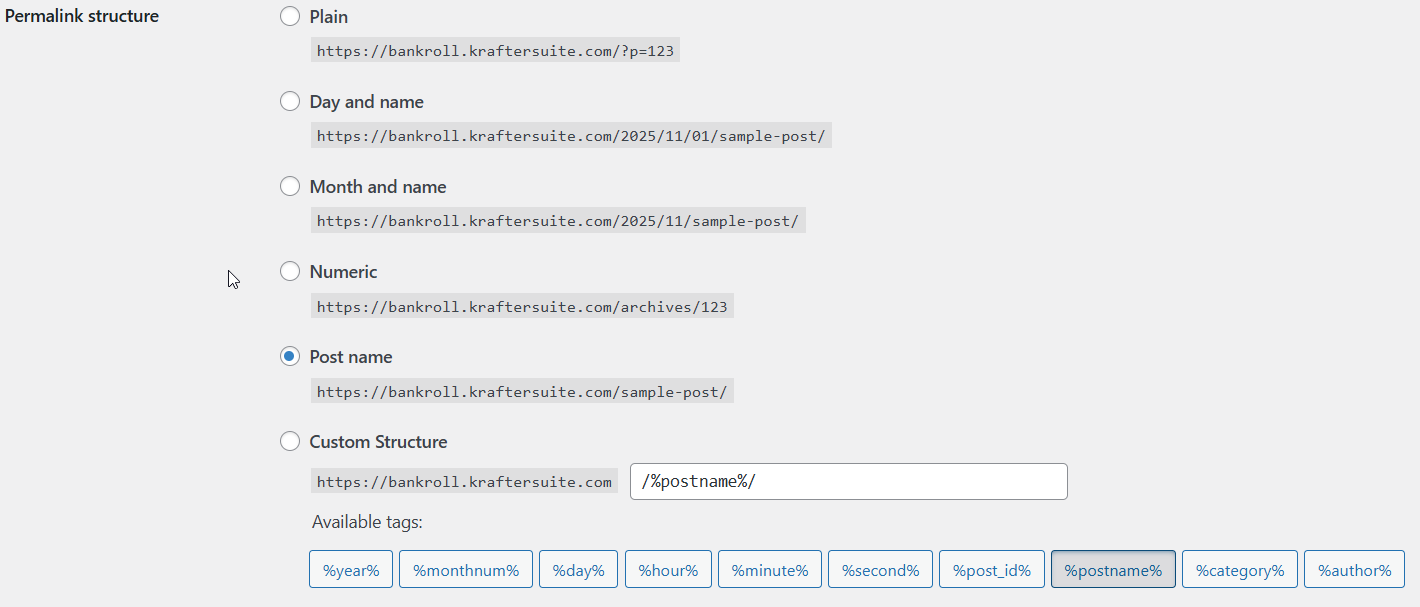
Why this matters: The theme uses custom pretty links for affiliate tracking (e.g., /visit/casino-name/bonus-type) which won't work with plain permalinks.
Step 2: Activate License
- Navigate to Theme Settings → License
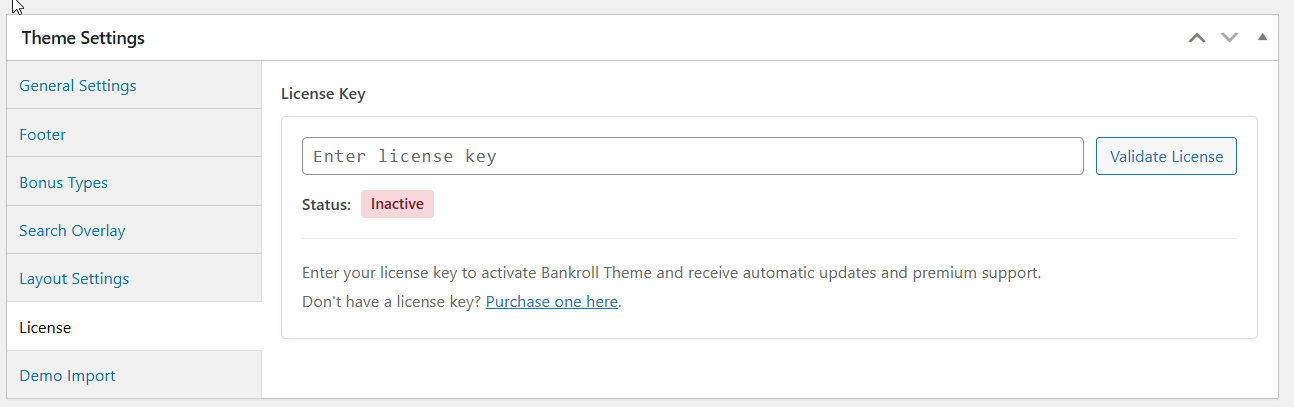
- Enter your license key
- Verify successful activation
Step 3: Welcome Notice
After activating the theme, you'll see an onboarding notice in your WordPress admin dashboard. This notice provides:
- Quick overview of theme features
- Important setup reminders
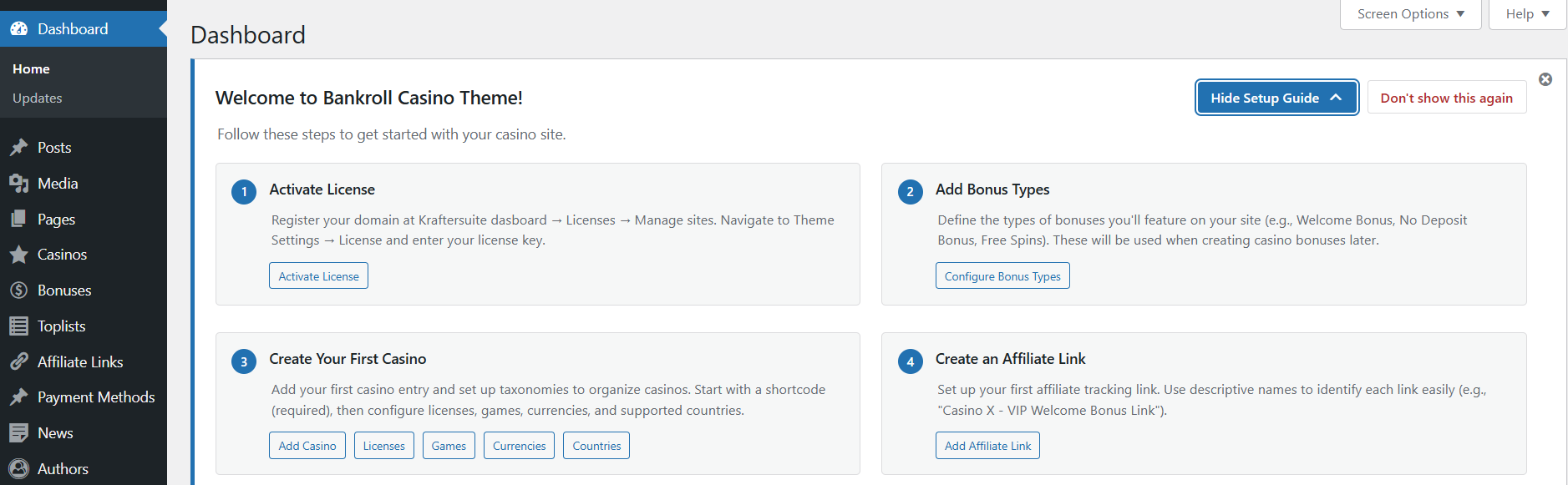
You can dismiss this notice once you're familiar with the theme, but we recommend reviewing the information first.
Demo Content
Demo content helps you understand how the theme works and provides a starting point for customization.
How to Import Demo Content
- Make sure your license is activated
- Go to Theme Settings → Demo Import
- Configure your demo import options:
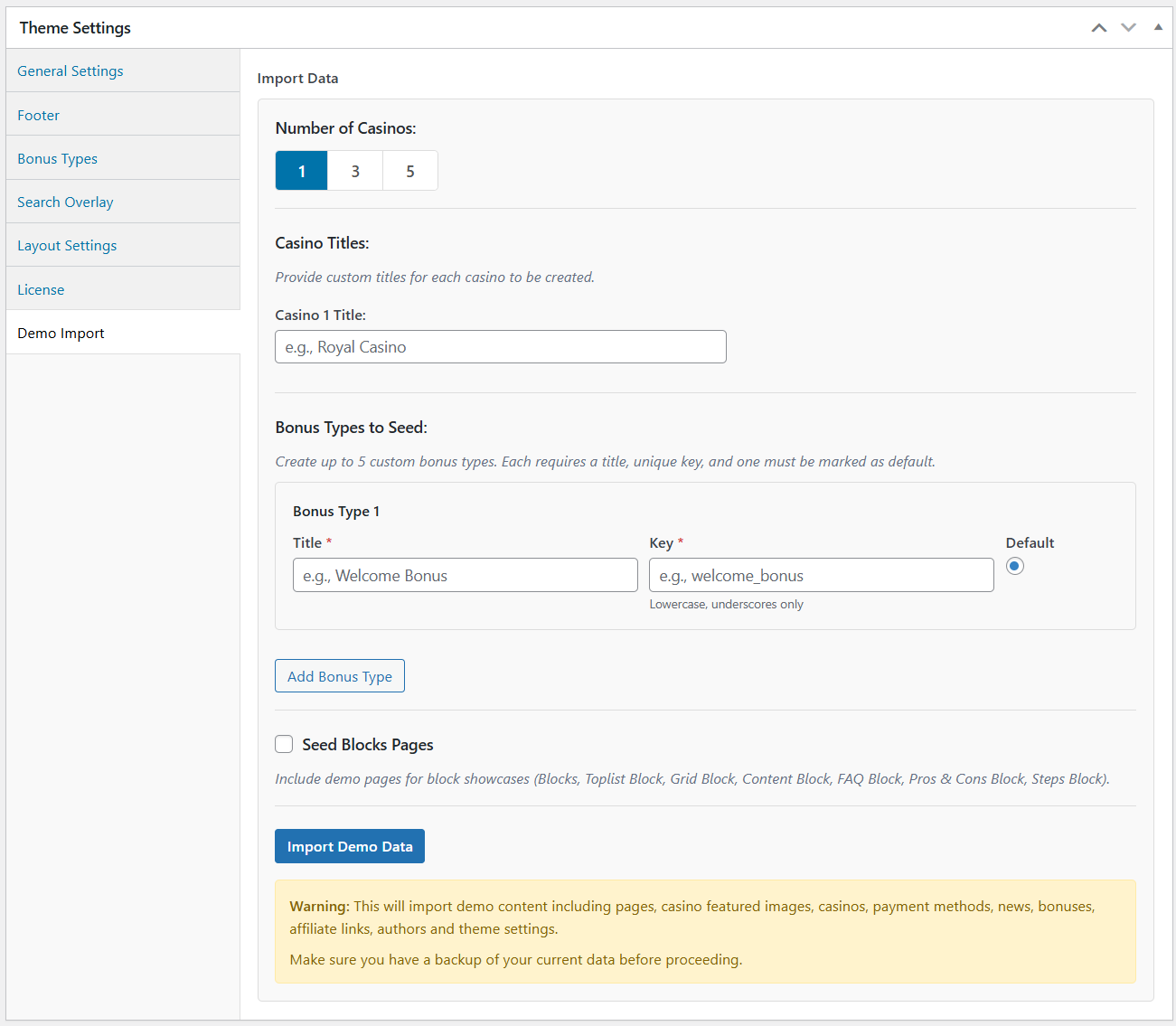
- Casino Count: Select how many sample casinos to import (1-5)
- Custom Casino Titles: Specify custom names for your demo casinos
- Custom Bonus Types: Create up to 5 custom bonus types with unique titles and keys
- Import Blocks Pages: Toggle to include block showcase pages in the import
- Click Import Demo Data
- Wait for the import to complete
- Page will automatically refresh
What Gets Imported
- Casinos (1-5 sample casinos based on your selection)
- Custom titles
- Complete casino profiles with payment methods, taxonomies and casino details
- Bonuses (Generated based on your custom bonus types)
- Each casino gets bonuses for the bonus types you defined
- Includes affiliate links and bonus details
- Bonus Types (Up to 5 custom types you specified during import)
- Payment Methods (Common payment options with logos)
- Taxonomies:
- Casino licenses
- Casino games
- Currencies
- Countries
- News Articles (Sample blog posts)
- Authors (Author profiles for content attribution)
- Pages (Including homepage and core pages)
- Blocks Pages (Optional showcase pages demonstrating available blocks)
- Navigation Menus (Pre-configured header and footer menus)
- Toplists (Dynamic toplists based on your bonus types)
After Import
- Review the imported content
- Customize text, images, and data to match your brand
- Replace demo casinos with real casino information
- Update affiliate links with your tracking URLs
- Adjust bonus types and details as needed
Removing Demo Content
- Go to Appearance → Theme Settings
- Find the Wipe Demo Data option
- Click to remove all demo content
- Confirm the action
- Only demo-tagged content will be removed (your custom content is safe)
Suggested Setup Workflow
Follow these steps in order to set up your casino affiliate site efficiently. This workflow ensures you create foundational content first before building upon it.
Step 1: Add Bonus Types
- Go to Theme Settings → Bonus Types
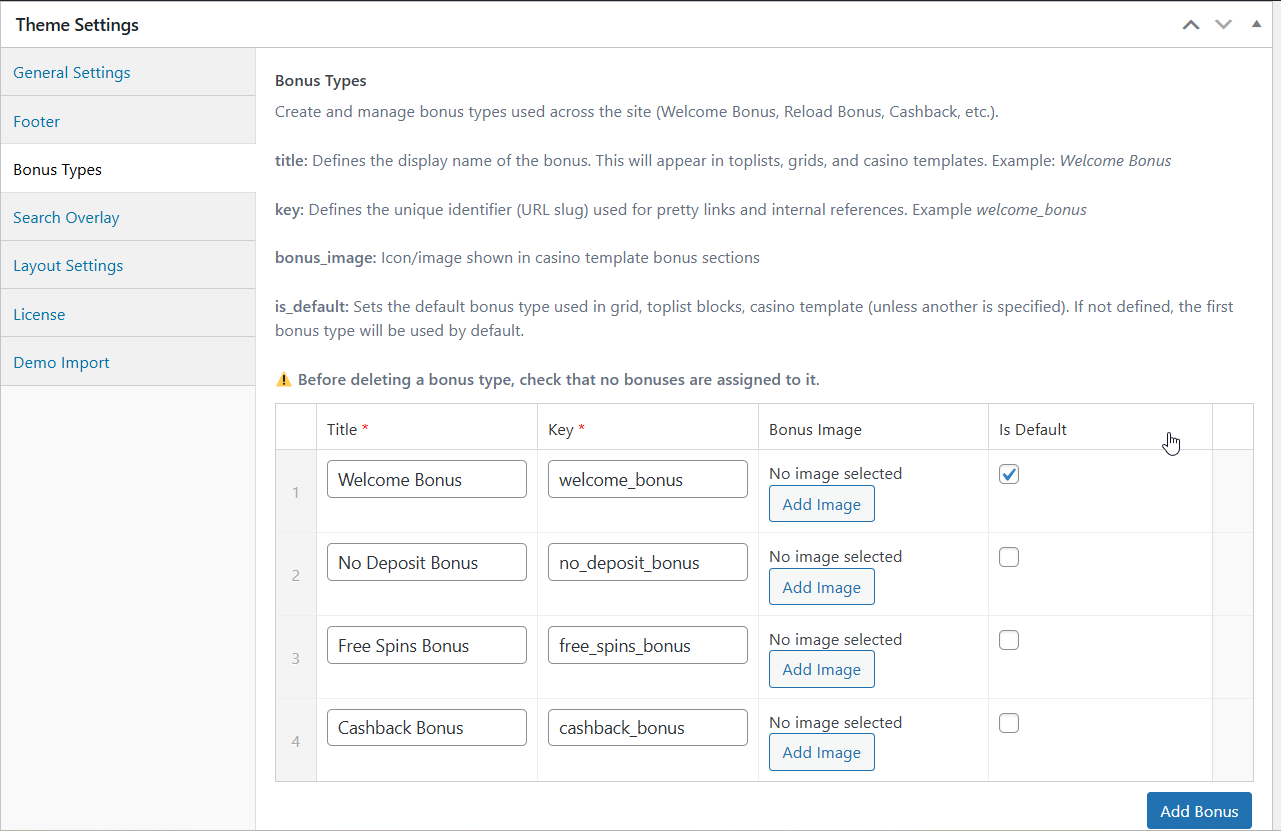
- Define the types of bonuses you'll feature on your site. Common examples:
- Welcome Bonus
- No Deposit Bonus
- Free Spins Bonus
Best Practice: Start with 1 main bonus type. You can always add more later.
Step 2: Create Your First Casino
- Navigate to Casinos → Add New Casino
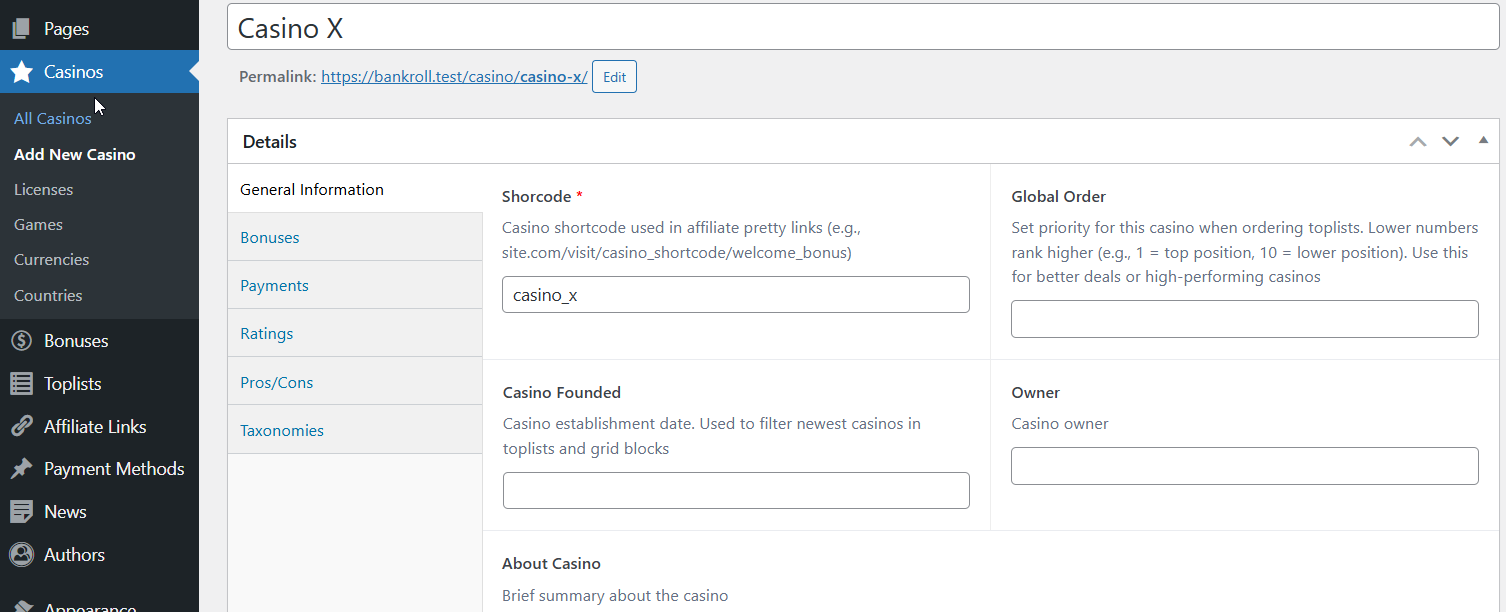
- Start with a shortcode (required) - it will be used for pretty links
- Add basic information: casino founded date, about casino, ratings etc.
- Add logo
Tip: Don't worry about making it perfect. You can refine casino details in Step 6 after adding supporting content.
Step 3: Create an Affiliate Link
- Navigate to Affiliate Links → Add New Affiliate Link
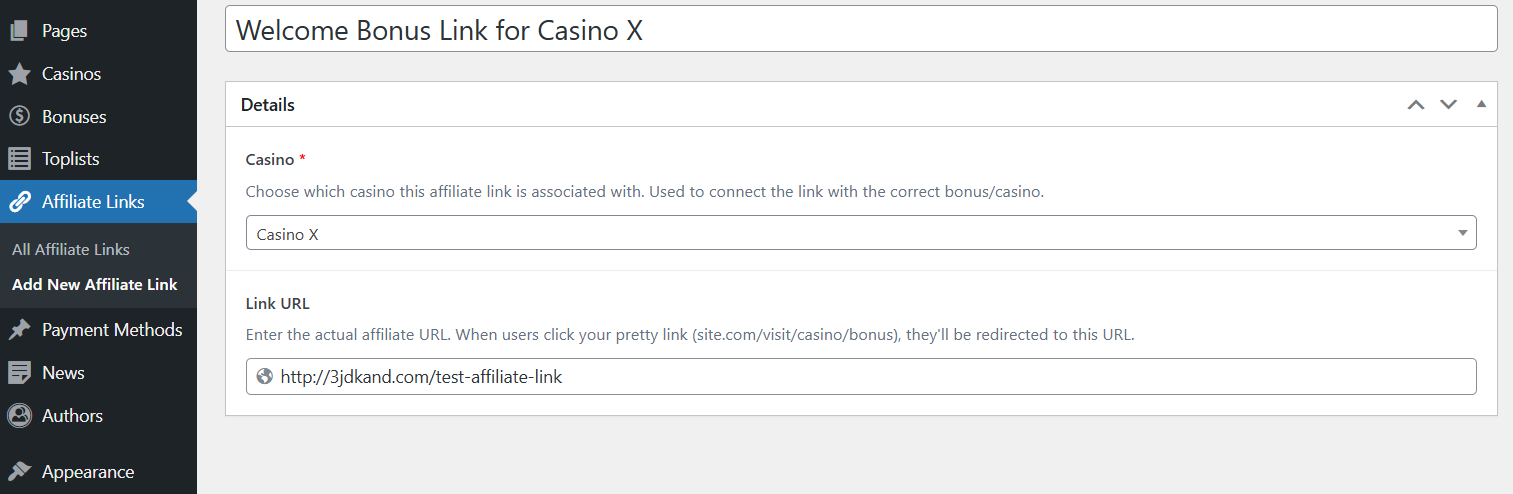
- Enter a descriptive title (e.g., "Welcome Bonus Link - Casino X")
- Enter your affiliate tracking URL
- Save the affiliate link
Naming Convention Tip: Use format "Casino Name - Bonus Type Link" for easy identification later.
Step 4: Create a Bonus
- Navigate to Bonuses → Add New Bonus
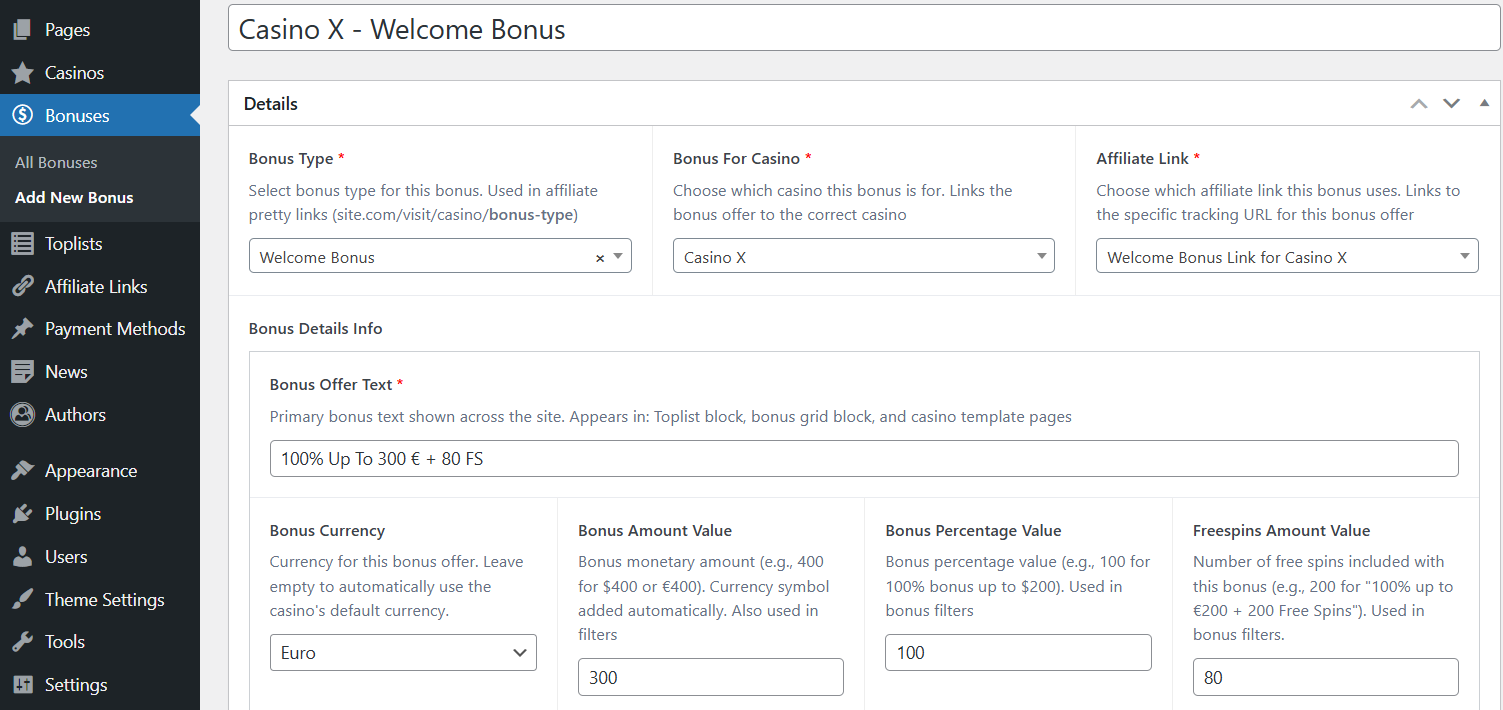
- Select bonus type (created in Step 2)
- Select the casino that offers this bonus (created in Step 3)
- Add affiliate link (created in Step 4)
- Enter bonus details (Bonus Offer text, bonus details, t&c)
Naming Convention: "Casino Name - Bonus Type" (e.g., "Casino X - Welcome Bonus")
Step 5: Add Supporting Content
Create these content types to make your casino reviews more comprehensive:
Payment Methods:
- Navigate to Payment Methods → Add New Payment Method
- Add payment methods
- Include logos and descriptions
- These will be displayed on casino pages
Authors:
- Navigate to Authors → Add New Author
- Create author profiles for reviews
- Add bio, featured image, and credentials
- Builds trust with visitors
News:
- Navigate to News → Add New News
- Publish industry news articles
- Keeps site fresh and engaging
- Improves SEO
Step 6: Complete Casino Profiles
Why now? Now you have all the supporting content to enrich casino entries.
Return to your casinos and add:
- Add available bonuses (Step 4)
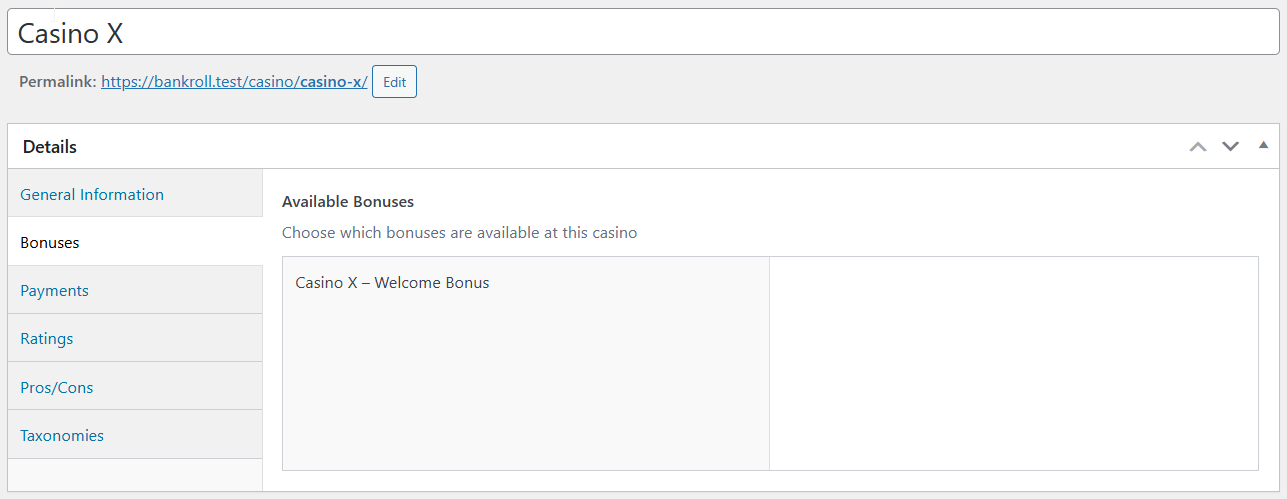
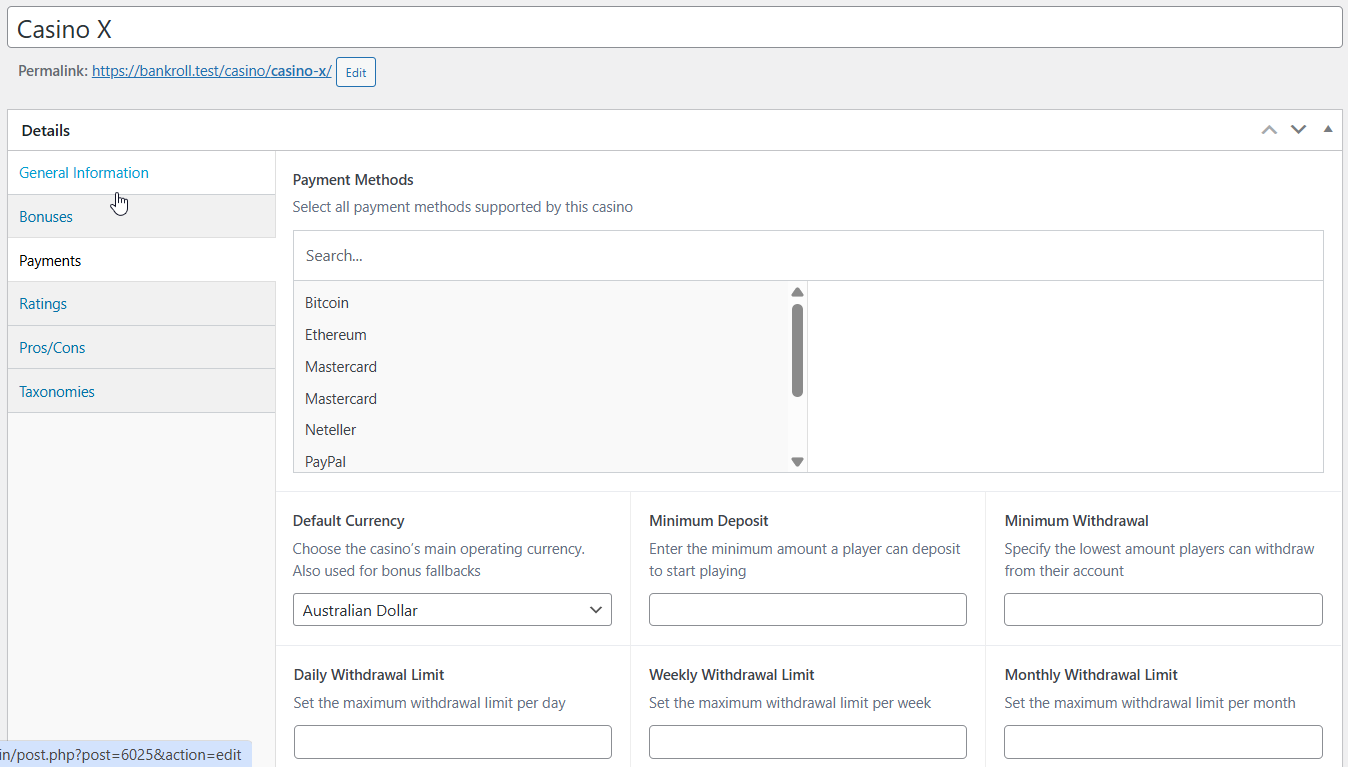
- Payment methods / other information (Step 6)
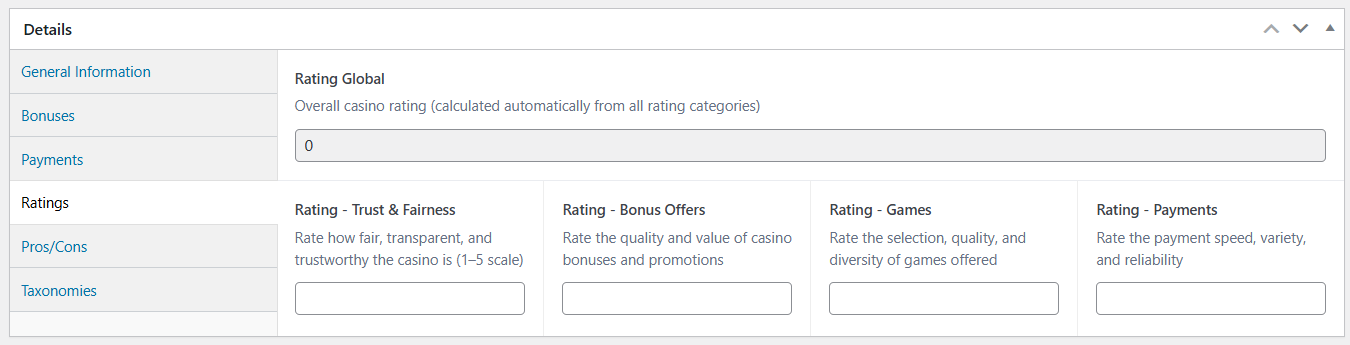
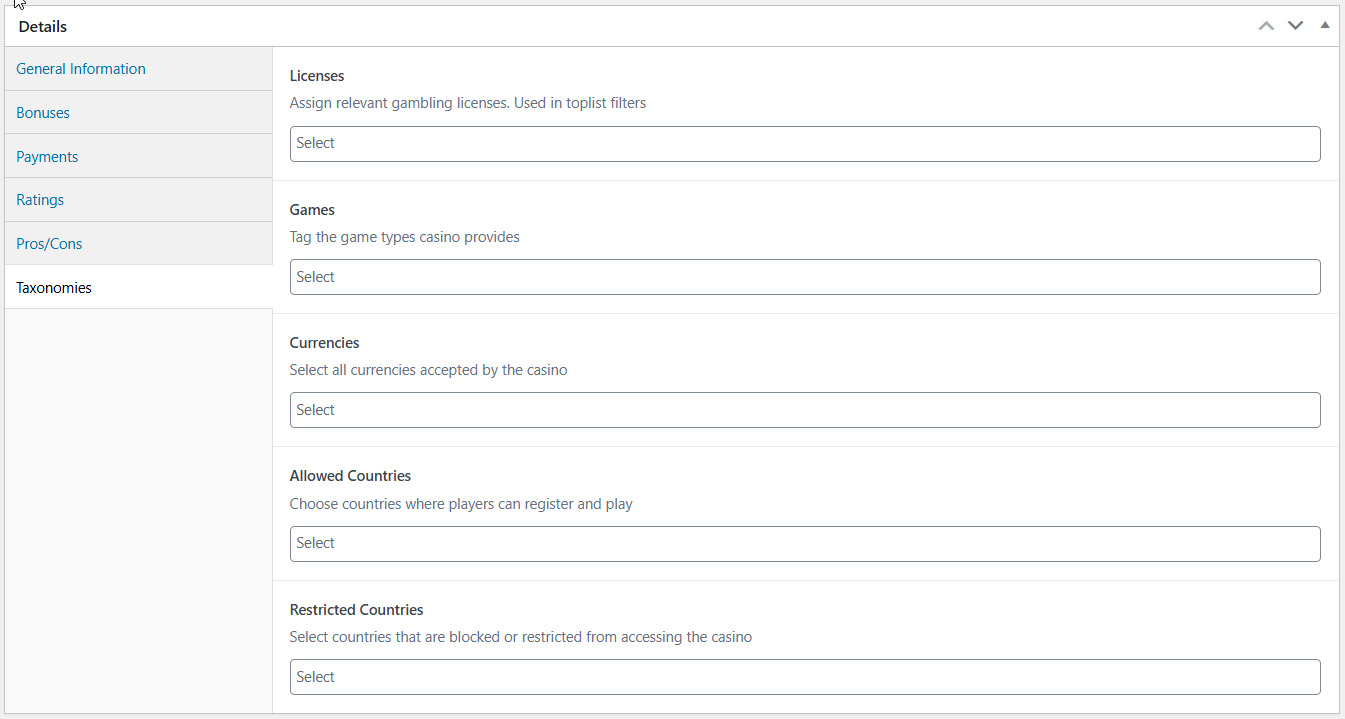
- Casino ratings
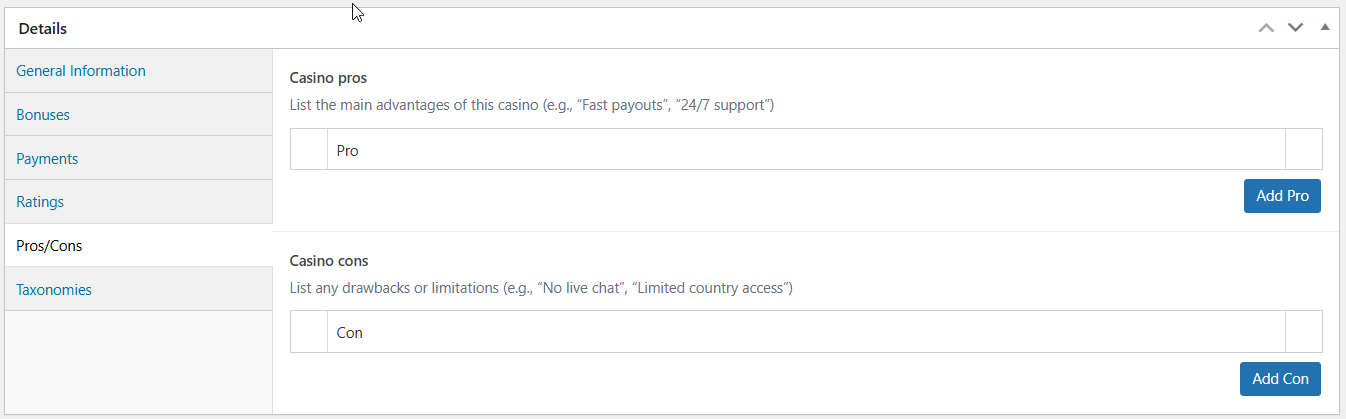
- Pros / Cons
- Additional taxonomies
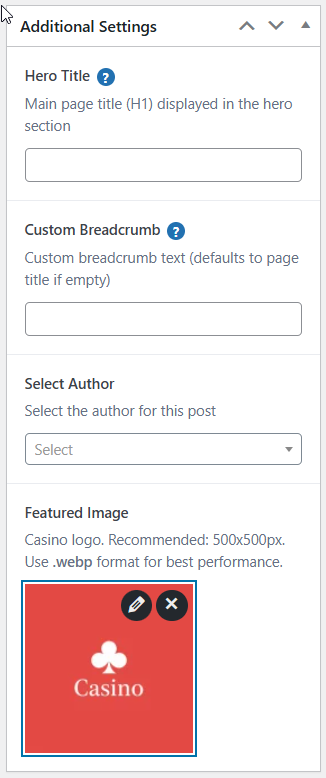
- Additional settings
Step 7: Create Your First Toplist
Toplists are how you'll display ranked casinos on your site.
- Navigate to Toplists → Add New Toplist
- Enter toplist title (e.g., "Best Welcome Bonus Casinos 2025")
- Either manually select casinos or enable Custom Setup that lets you dynamically create toplists
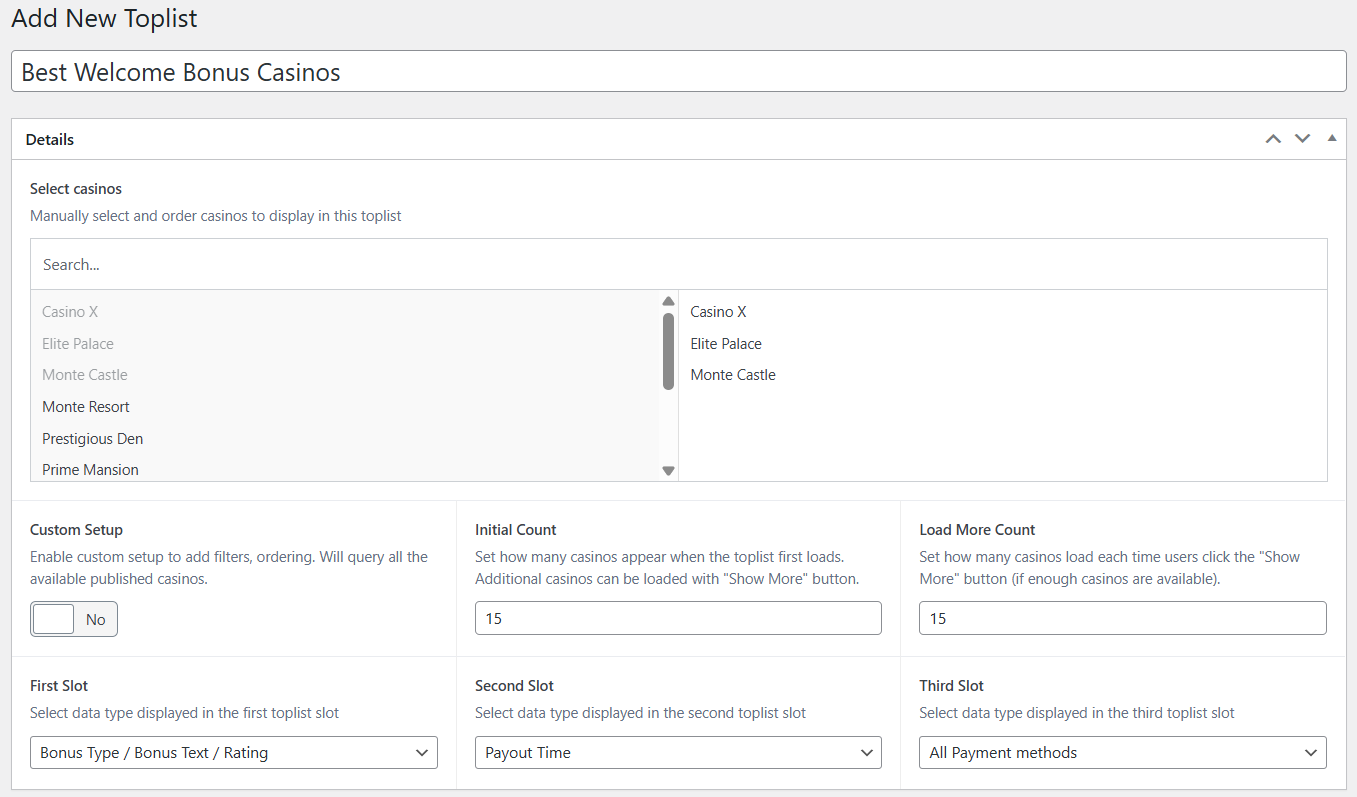 or use custom setup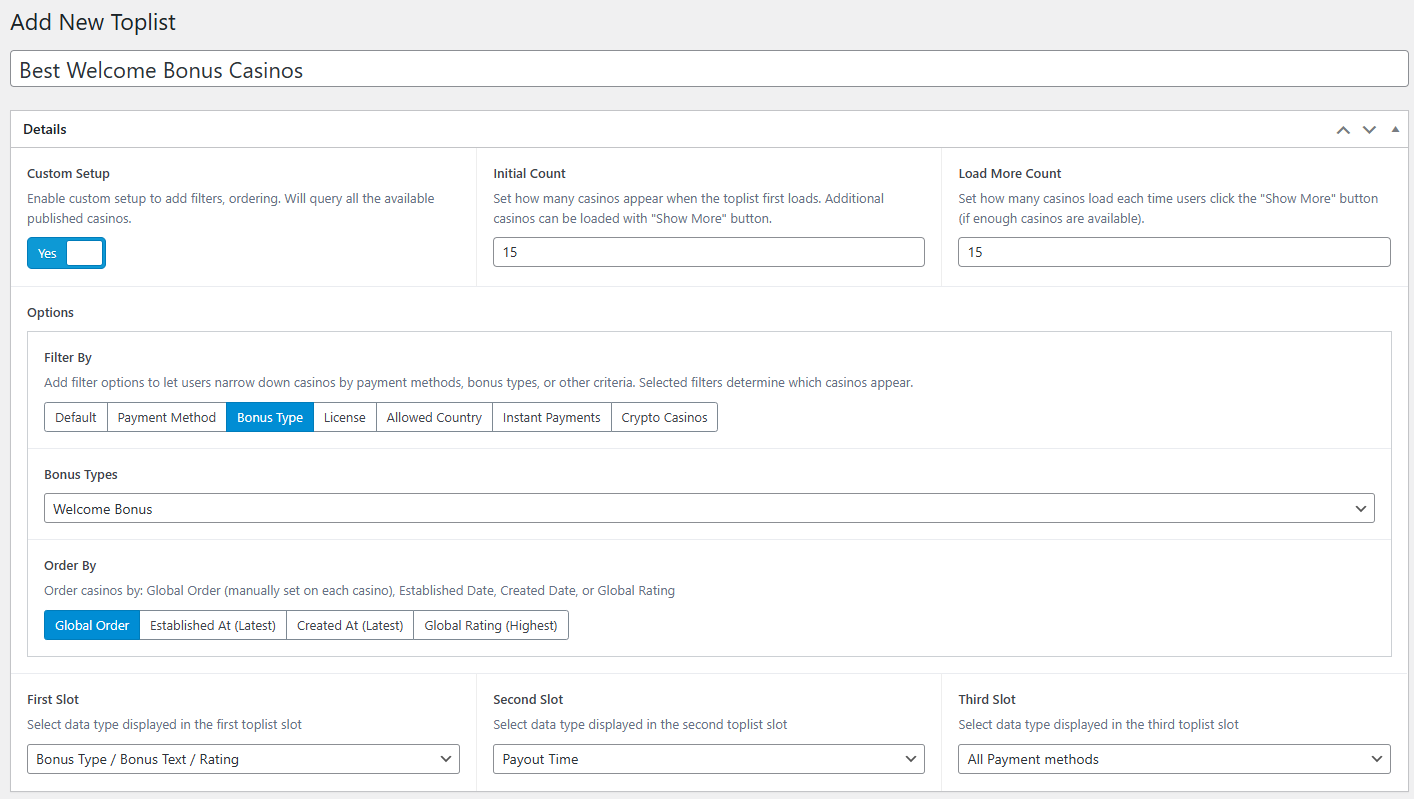
- Configure filtering criteria:
- Select from payment methods
- Select from predefined bonus types
- Select from licenses
- Select from allowed countries (Set in taxonomies tab)
- Instant payments / Crypto casinos (Will display only those who have these attributes)
- Configure ordering
- Global order(Each casino has global order attribute. Will order based on this value, if not set will be added at end)
- Established at
- Created at
- Global rating
- Configure what values will the toplist display in each slot
 Available slots in toplist
 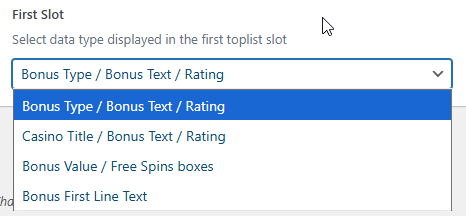 First slot options
 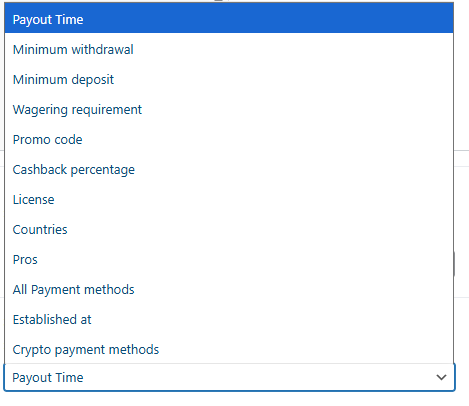 Second and third slot options
Tip: Toplists are dynamic collections that automatically update as you modify casino or bonus data.
Step 8: Build Your Homepage
Time to display your content to visitors!
- Navigate to Pages → Add New
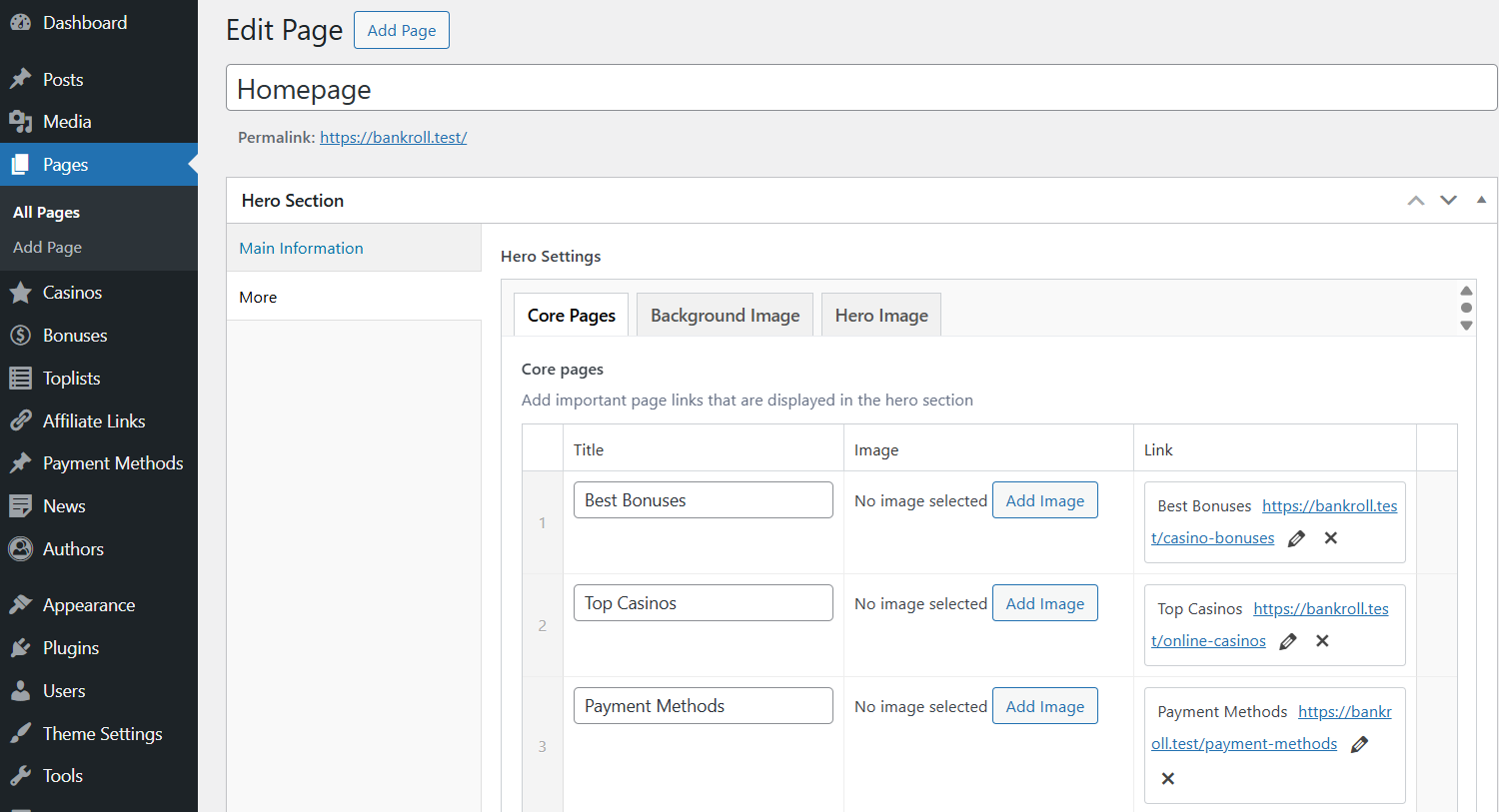
- Configure the Hero Section. For more information check Hero section:
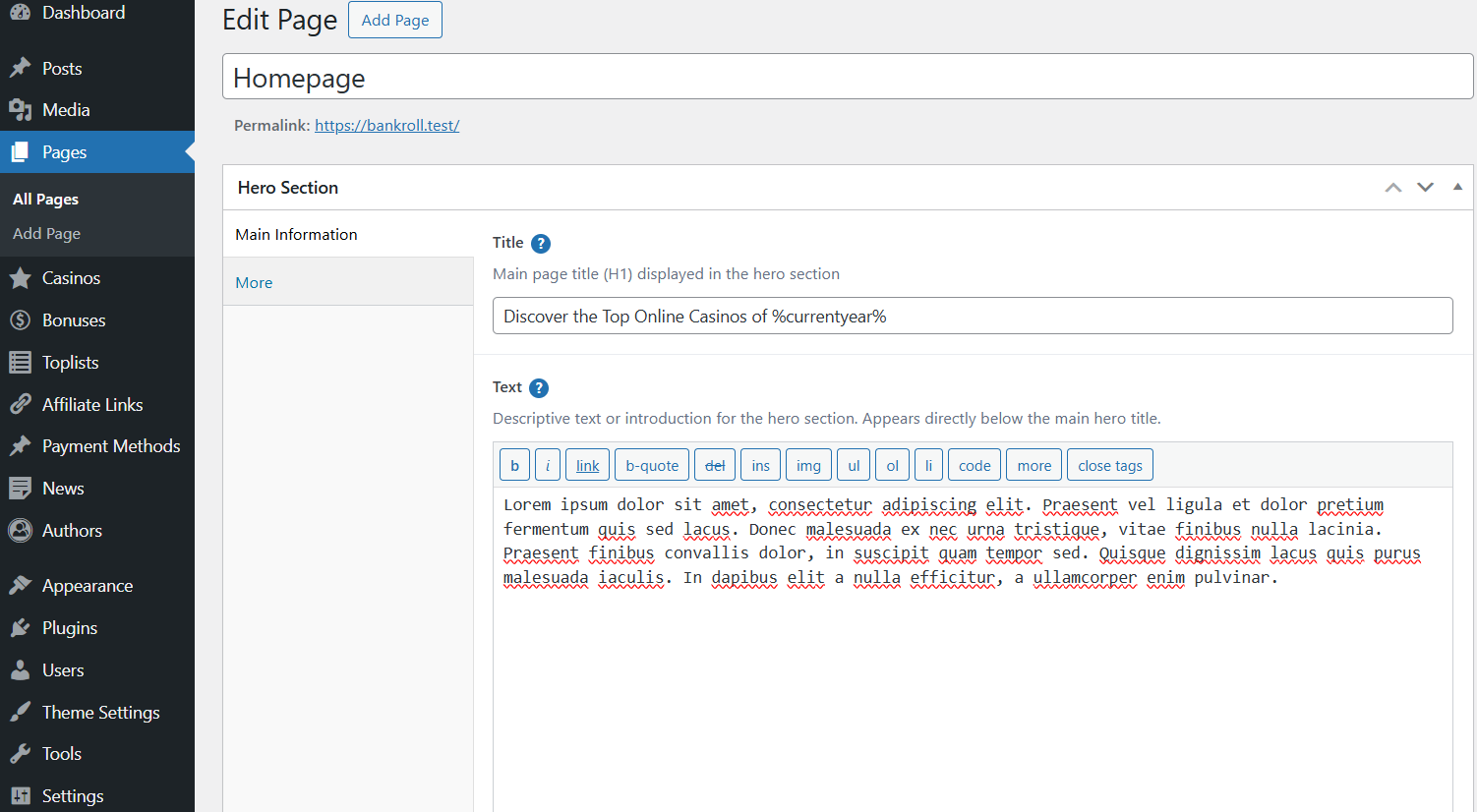
- Custom H1 title
- Page description
- Other settings like core pages, background image, hero image
- Add Blocks to the page. For more info check block types:
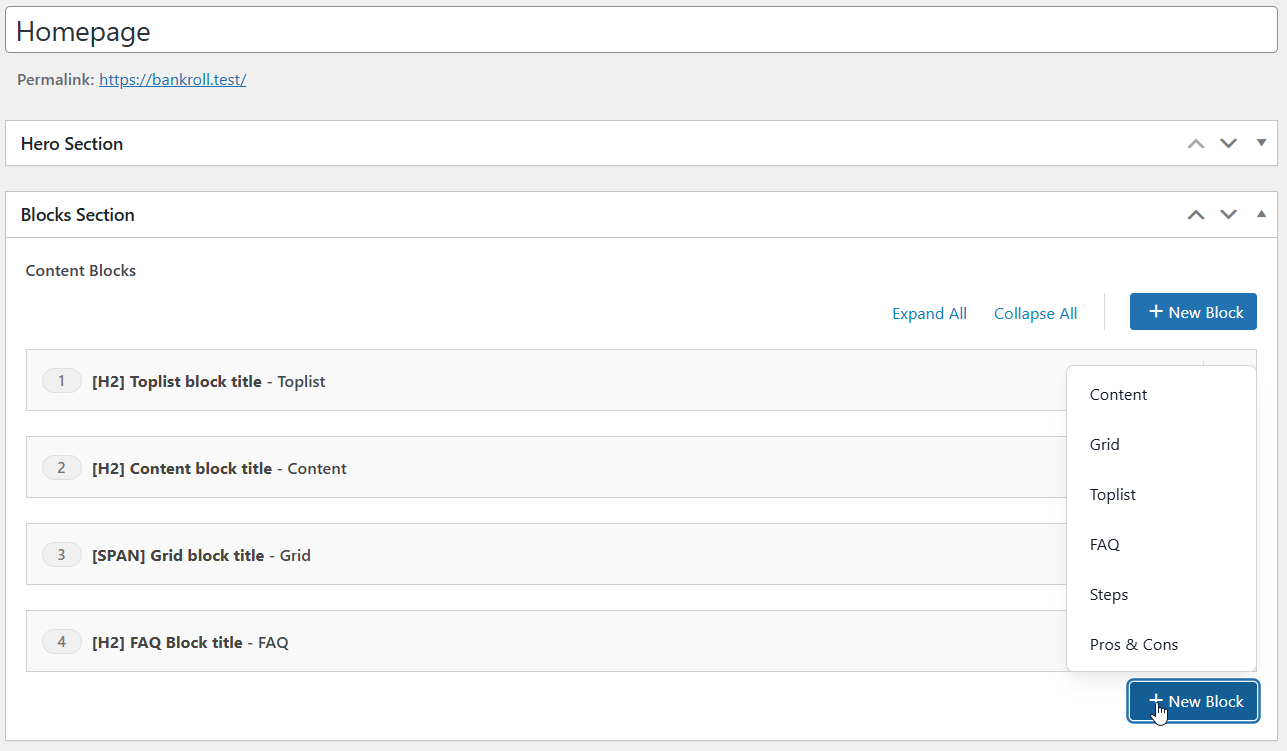
- Add a Toplist Block (displays your ranked casinos)
- Add a Grid Block
- Add Content Block for introductory text
- Add FAQ Block for common questions
- Publish the page
- Inside Settings → Reading set A static page and set Homepage to your newly created homepage.
Step 9. Customize Theme Appearance
Now you can fine-tune the design with real content in place.
Configure visual settings:
- Colors
- Strings
- Typography (heading and content fonts)
- Layout (custom hero settings)
Next Steps
After completing the suggested workflow, you're ready to expand your content. Add more casinos, bonuses, and toplists. Create additional pages and landing pages.